About this app
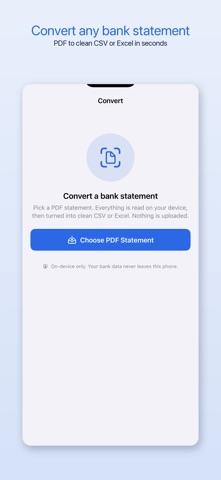
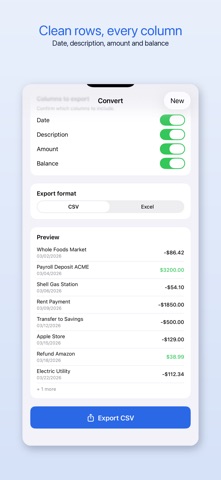
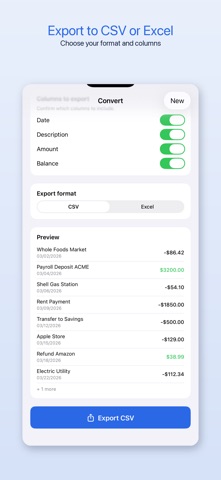
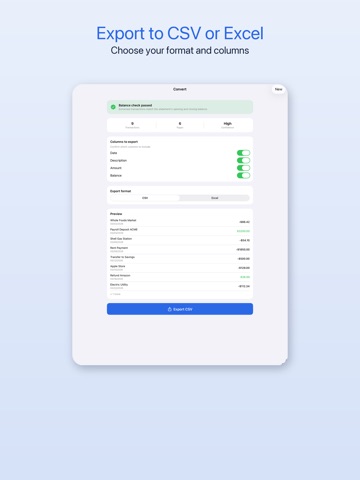
Bank2CSV turns your bank statement PDFs into clean, columned CSV or Excel files in seconds, and it does the whole job on your device. Your statements are never uploaded to any server. Built for accountants, bookkeepers, and anyone who is tired of paying per page or trusting a website with sensitive bank data. WHY BANK2CSV One flat price, not per-page credits. Convert a 5-page statement or a 200-page statement for the same price. No "you used all your credits" surprises. Fully on-device and private. Parsing and OCR run entirely on your iPhone or iPad using Apple frameworks. Nothing leaves your phone. No account, no sign-up, no tracking. A balance check that proves the math. Bank2CSV reconciles every extracted transaction against the statement's opening and closing balance and flags any gap, so you catch a missing or misread row before you export. Most converters just hand you a file and hope it is right. HOW IT WORKS 1. Pick a PDF bank statement. 2. Bank2CSV reads it on-device, including scanned statements via on-device OCR. 3. Review the transactions and the balance check. 4. Choose your columns and export to CSV or Excel, then share anywhere. FEATURES - Convert PDF bank statements to CSV or Excel (.xlsx) - Handles long, multi-page statements - On-device OCR for scanned statements - Built-in opening and closing balance reconciliation - Confirm and reorder export columns (date, description, amount, balance) - Share to Files, email, or any app - Works offline, no internet required FREE AND PREMIUM Bank2CSV is free to try: convert any statement, see every transaction on screen, and run the full balance check. The free tier exports a 10-row preview. Premium unlocks unlimited full exports of every statement, every length. Premium is available as a low weekly price with a 3-day free trial, an annual plan, or a one-time lifetime purchase. There is no recurring cost on the lifetime option. This app offers a weekly subscription with a 3-day free trial, and an annual subscription. Payment is charged to your Apple ID at confirmation of purchase. Subscriptions automatically renew unless cancelled at least 24 hours before the end of the current period. Manage or cancel subscriptions in your Apple ID Account Settings. Restore purchases from the app settings. Terms of Use (EULA): https://www.apple.com/legal/internet-services/itunes/dev/stdeula/ Privacy Policy: https://www.appharbour.com/bank2csv/privacy.html
Audience growth
Ratings growth
Baseline captured. Growth appears after the crawler observes a changed rating count.
Momentum comes from crawler snapshots for the tracked storefront. “Viral growth signal” means unusually fast recent rating gains; it is an indicator, not download data.
Price tracking
Price intelligence
First snapshot captured. The trend line starts after the next crawler price observation.
- First observed Aug 21, 2026 · 2:48 AM Free
Screenshots