About this app
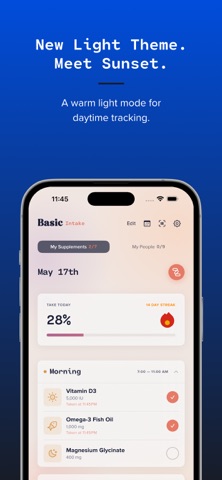
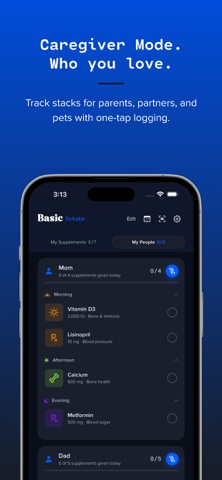
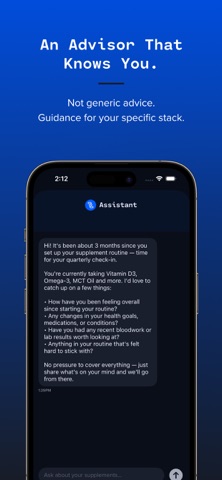
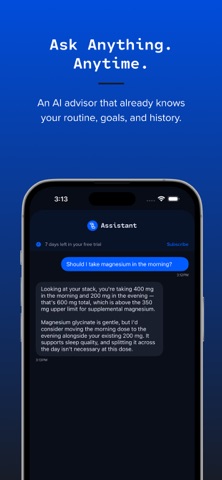
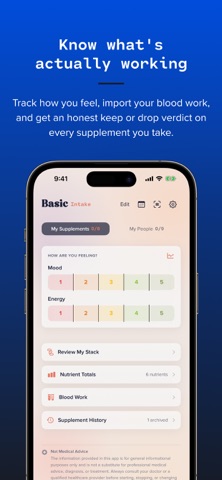
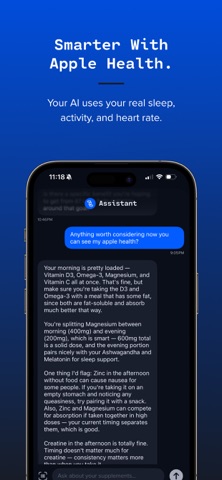
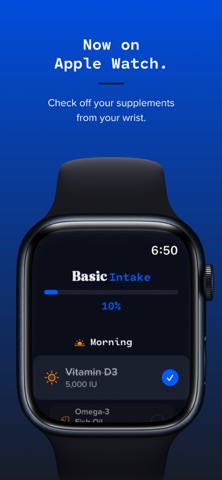
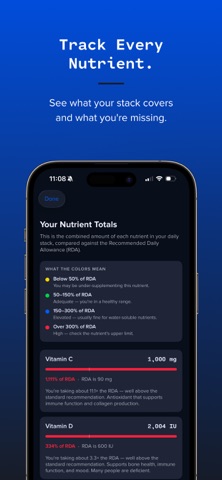
Track every pill, vitamin, and medication you take for free. Scan a barcode or just type it in, then get reminders, streaks, and sync across your devices. The AI advisor is optional. Most supplement apps just remind you to swallow pills. Basic Intake tells you which ones to keep, which to adjust, and which to stop paying for. No bro science. No 47-pill stacks. A tracker that earns its place. REVIEW MY STACK Tap once and your AI advisor audits everything you take, then ranks each item KEEP, ADJUST, or DROP, with a plain-English reason and a confidence level. Powered by Claude, it weighs real adherence from your check-offs, your own "is it working?" answers, how your lab values moved between draws, your mood and energy trend, and with Apple Health, your real sleep and activity. Most apps let you keep buying something that does nothing. This one tells you to stop. It also will not blame a supplement you have barely taken: if adherence is low, it says take it consistently first. Clinical calls go to your doctor. A HEADS UP BEFORE IT COSTS YOU Not a one-time setup scan. Add anything, by barcode, by hand, or by AI, and Basic Intake re-checks the whole stack. If it finds a real absorption clash (calcium blocking iron), a duplicate pushing one nutrient past its safe upper limit, or a timing conflict costing you effectiveness, a card names the items, the consequence, and the fix. Nothing worth flagging? It stays quiet. YOUR WEEK Every week, a short read on the days just gone: which time of day your doses actually slip, what you skipped on purpose, how it compares to last week. It costs no AI interactions, and on a week with nothing worth saying, it stays quiet instead of padding. IS IT ACTUALLY WORKING? About once a month, Basic Intake asks one question about something you have been on a while: helping, hard to tell, or no change. Pair that with the daily mood and energy check-in and you get a trend line marked with the day you started each supplement. READ YOUR BLOODWORK Import a lab report as a PDF or photo. Your advisor pulls your biomarkers (vitamin D, B12, ferritin, cholesterol), tracks each against its reference range, flags anything out of range, and ties it to your stack. ADD IT HOWEVER YOU WANT Point your camera at a barcode and the name, brand, and dose fill in. Not recognized? Snap the Supplement Facts panel and the AI reads the label. Or skip the camera and type it in yourself. Adding things never costs an AI interaction, and neither does tracking them. A SCHEDULE THAT FITS REAL LIFE Not everything is daily. Set each item to every day or specific days: vitamin D on weekends, a B12 shot on Mondays. Anything not due stays hidden, and your streak only counts what is due, so an off day never breaks it. Skipping one on purpose is its own thing: long-press to mark the day handled without logging a dose you did not take. Your streak holds, your supply count stays honest, and your stack review knows the difference. WHAT ELSE YOU GET • Nutrient Totals: every vitamin and mineral in your stack against the RDA, gaps and upper limits flagged • Restock Reminders that track your supply, refill in one tap • iCloud sync across iPhone and Apple Watch, plus backup and restore • Apple Health: log intake, pull sleep and activity into advice • Interactive widget: check off from your home screen • Track supplements and medications for the people and pets you care for • Streaks with unlockable flame styles Basic Intake is an informational tool. It is not medical advice. Always consult your doctor before starting or changing any supplement regimen. SUBSCRIPTION Free 7-day trial includes up to 15 AI chat interactions and 15 label photo scans. Barcode scans are always unlimited and free. After the trial, continue with Basic Intake Pro at $4.99/month. Cancel anytime in Settings. Terms of Use: https://www.apple.com/legal/internet-services/itunes/dev/stdeula/ Privacy Policy: https://basicapps.tech/privacy
Latest release
What’s New
Version 5.46 • Fixed the assistant stopping partway through when a message changed something in your stack. • Blood work import and setup no longer fail when your monthly AI allowance runs low. • Plain-English messages when the AI is unavailable, instead of raw error text. • The app now tells you when automatic nutrient and interaction analysis is paused, rather than going quiet.
Audience growth
Ratings growth
Baseline captured. Growth appears after the crawler observes a changed rating count.
Momentum comes from crawler snapshots for the tracked storefront. “Viral growth signal” means unusually fast recent rating gains; it is an indicator, not download data.
Price tracking
Price intelligence
First snapshot captured. The trend line starts after the next crawler price observation.
- First observed Aug 21, 2026 · 3:09 AM Free
Screenshots