About this app
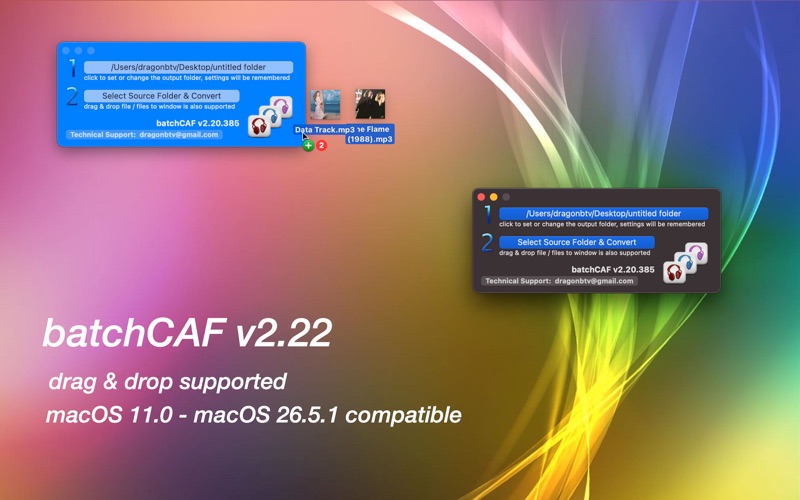
batch convert your entire media directory into .caf, with the click of a mouse. (Attention: automatically from various formats even video files to .caf format) You can use it to convert various audio, music, and sound formats into Apple's .caf format. The app can even extract audio from videos! So, put all your stuff in a folder and give bachCAF a single-click try! Features: v1.07 - Batch convert sound files; - Beeps after each song is converted; - No complex setting, select the input and output folders; - Supported formats: .3gp,.3g2, .aac, .adts, .ac3, .aifc, .aiff, .aif, .amr, .au, .caf.m4a, .mpeg, .mpa, .mp1, .mp2, .mp3, .mp4, .sd2, .snd, .wav v1.07 -> v1.27 - add the "Mute Beep" option - add the destination folder and confirm - add "feature request" menu - add "more by dragonBTV" menu and panel - more compact interface v1.27 -> v1.31 - option added: save converted files to the same source folder - more detailed technical support email templet - more detailed feature request email templet - updated more by dragonBTV panel v1.31 -> v1.50 - Sandboxed version - OS 10.7 to OS 10.8 compatible version - rewrite all deprecated codes - color and size of the interface updated - dock menu added - Sandbox-compatible email technical support - Sandbox-compatible feature request support - Sandbox compatible "more by dragonBTV" menu and panel v1.50 -> v1.80 - fully re-coded Sandbox ARC version for macOS Sierra 10.12 - updated to macOS Sierra 10.12 and still compatible with OS10.7 and above - interface adjusted - all deprecated function is replaced - all file operation is changed to Sandbox compatible - convert upon drag & drop function removed - app menu rearranged - change the color of all popup alerts to white - alert for destination (output) folder selection modified with detailed explaining - the option "beep after each file" deleted for faster conversion - More apps by dragonBTV are simplified by displaying in App Store directly v1.80 -> v1.82 - menu rearranged - performance improvements for macOS 10.13 High Sierra v1.82 -> v2.00 - Any Mac (Apple Silicon, Intel) version for macOS Big Sur - processing progress bar added - app version display added - save to the same source folder option removed - support menu updated - interface fine-tuning for dark mode - all deprecated functions rewritten v2.00 -> v2.05 - deprecated code rewritten - cover mask during conversion removed - not forced to select the saving folder after each convert - More by dragonBTV menu updated v2.05 -> v2.20 - option added according to the user's feature request - simply drag & drop file or files to the window now supported. - many video files containing soundtrack will be converted, drag & drop to give it a try - user selected output folder will be remembered v2.20 -> v2.22 - interface modified for the latest macOS 26 - App information updated for the new age-rating system - updated for the latest macOS Tahoe 26.5.1 compatible
Latest release
What’s New
v2.20 -> v2.22 - interface modified for the latest macOS 26 - App information updated for the new age-rating system - updated for the latest macOS Tahoe 26.5.1 compatible
Audience growth
Ratings growth
Baseline captured. Growth appears after the crawler observes a changed rating count.
Momentum comes from crawler snapshots for the tracked storefront. “Viral growth signal” means unusually fast recent rating gains; it is an indicator, not download data.
Price tracking
Price intelligence
First snapshot captured. The trend line starts after the next crawler price observation.
- First observed Aug 7, 2026 · 10:49 PM $2.99
Screenshots