About this app
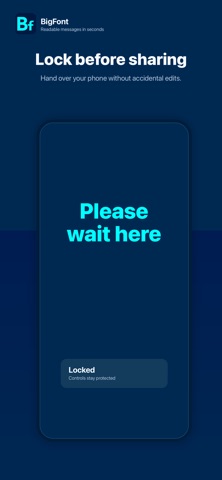
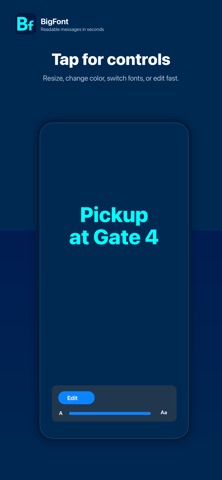
BigFont Display turns your iPhone or iPad into a clear, full-screen message display. Type what you want to say. BigFont makes it large, bright, and easy to read from across a room, in a noisy place, through a window, or when speaking out loud is not practical. Use it for quick notes, public spaces, classrooms, travel, accessibility, events, pickup signs, quiet rooms, or any moment when your screen needs to say something clearly. Features: • Huge full-screen messages • Simple tap controls • Double-tap to edit • Pages for longer messages • Custom fonts, colors, and alignment • Keep screen awake while displaying • Shake to flash for attention • Lock controls before handing over your device • Works on iPhone and iPad • Optional Translation unlock for multi-language display How to use BigFont Display: 1. Open the app. 2. Double-tap to type your message. 3. Tap once to show controls. 4. Adjust size, color, font, pages, or lock. 5. Hold up your screen. Translation Mode is available as a one-time in-app purchase.
Latest release
What’s New
This update improves Translation purchase and restore reliability, adds smoother language downloads, and includes interface and accessibility refinements.
Audience growth
Ratings growth
Baseline captured. Growth appears after the crawler observes a changed rating count.
Momentum comes from crawler snapshots for the tracked storefront. “Viral growth signal” means unusually fast recent rating gains; it is an indicator, not download data.
Price tracking
Price intelligence
First snapshot captured. The trend line starts after the next crawler price observation.
- First observed Sep 1, 2026 · 1:54 PM Free
Screenshots