About this app
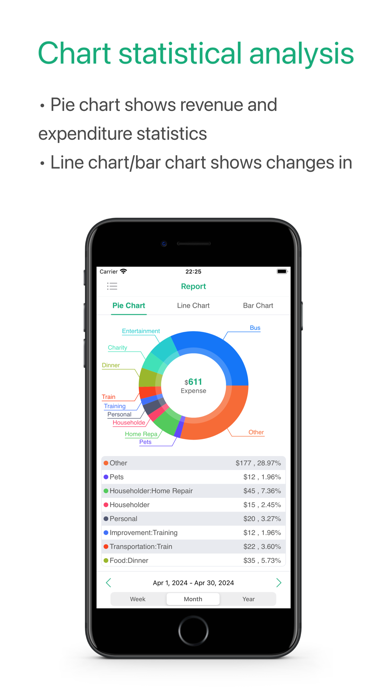
Bill List - the fastest way to record the daily cost. Through the chart analysis of your daily expenses. The features of the app: - Add/Edit account. - Calendar view of bills. - Add/Edit income/expense. - Pie reports for categories of income and expense. - Histogram and Bar reports to compare income and expense. - Set your own currency. - Pass word protection. - Supports Touch ID password. - Send data by email in form of HTML, PDF or CSV. - Supports AirPrint. - Reminder. - Add subcategories. - iCloud Backup & restore. - Supports 3D Touch and widget. - Set different theme colors. - Supports universal version(available on both iPhone and iPad). Contact US Email: jackbettersli@gmail.com
Latest release
What’s New
- Fixed minor bugs and made small UI adjustments.
Audience growth
Ratings growth
Baseline captured. Growth appears after the crawler observes a changed rating count.
Momentum comes from crawler snapshots for the tracked storefront. “Viral growth signal” means unusually fast recent rating gains; it is an indicator, not download data.
Price tracking
Price intelligence
First snapshot captured. The trend line starts after the next crawler price observation.
- First observed Sep 5, 2026 · 8:41 AM Free
Screenshots