About this app
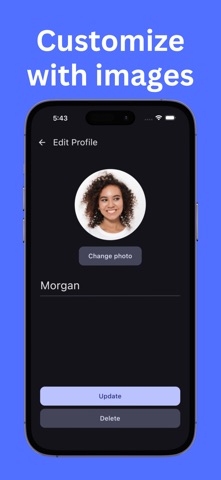
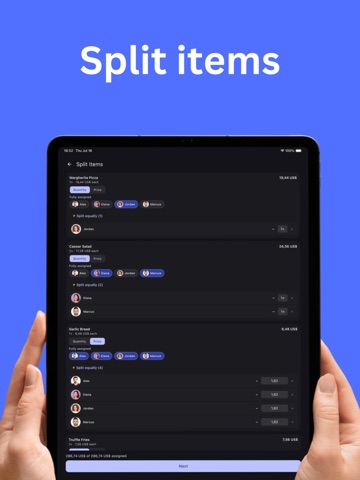
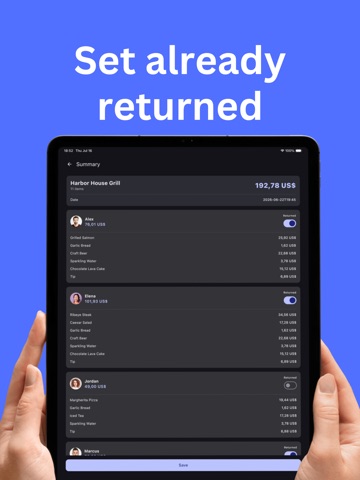
Split any bill without doing the math. Bilpi turns a photo of a receipt into a fair, itemized split. Snap a picture, let AI read every item, price, and total, then assign items to the people who ordered them. Bilpi handles shared items, fees, discounts, and tips automatically, so everyone pays exactly their share — no spreadsheets, no guesswork. How it works: 1. Snap a receipt — Take a photo of any receipt and let AI read the items, prices, and total for you. 2. Check the details — Review the items Bilpi found and fix anything before you split. You stay in control. 3. Add your people — Add everyone splitting the bill with you, so it's always clear who is who. 4. Assign items to split — Tap items to assign them to the people who ordered them, and split shared items evenly between the rest. 5. See who owes what — Get a clear summary for every participant, ready to settle up. Features: - AI-powered receipt scanning — extracts items, prices, quantities, tax, and totals automatically - Manual editing — fix any item, add items manually, add fees, discounts, or a custom tip - Multi-currency support — pick from a full list of currencies or search by country - Participants with names and photos, so everyone is easy to tell apart - Flexible splitting — assign items directly, split shared items equally, or split by quantity or price - Clear summaries — see exactly who owes what after every receipt - Manage past receipts — update returns or delete receipts after saving FAQ: Q: What is Bilpi? A: Bilpi is a receipt-splitting app that uses AI to read your receipts and calculate exactly what each person owes. Q: How does Bilpi split a bill? A: Take a photo of your receipt, add the people you're splitting with, then assign items to each person. Bilpi calculates the total for everyone automatically, including shared items, fees, discounts, and tips. Q: Does Bilpi support different currencies? A: Yes. Bilpi automatically detects the currency from your receipt, and you can change it anytime with the built-in currency picker, searchable by currency or country. Q: Can I edit what the AI reads from my receipt? A: Yes. After scanning, you can review and edit every item, add items manually, and adjust fees, discounts, or tips before splitting. Q: What happens after I split a receipt? A: Bilpi shows a clear summary of what each participant owes, so the group can settle up. You can also update returns or delete a receipt later. Analyzing receipts requires Pro subscription. privacy policy: https://mrjohn10.github.io/bilpi/privacy-policy terms of service: https://mrjohn10.github.io/bilpi/terms-of-service
Latest release
What’s New
User interface improvements.
Audience growth
Ratings growth
Baseline captured. Growth appears after the crawler observes a changed rating count.
Momentum comes from crawler snapshots for the tracked storefront. “Viral growth signal” means unusually fast recent rating gains; it is an indicator, not download data.
Price tracking
Price intelligence
First snapshot captured. The trend line starts after the next crawler price observation.
- First observed Aug 18, 2026 · 4:00 PM Free
Screenshots