About this app
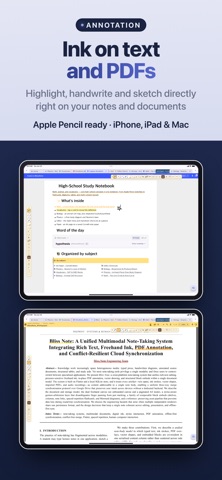
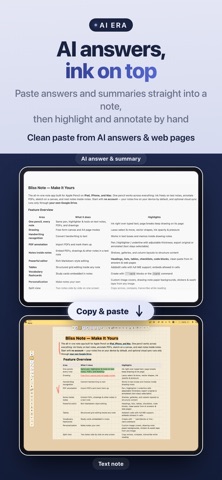
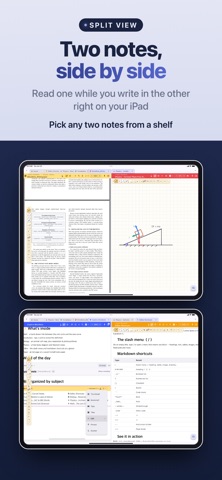
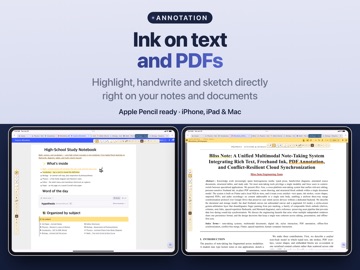
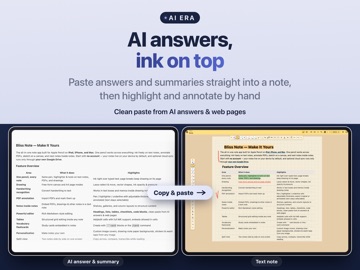
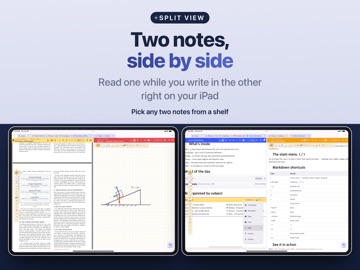
One pencil across every note. Ink on text notes, annotate PDFs, and keep notes inside notes — an all-in-one notebook for iPad, iPhone and Mac, built for Apple Pencil. ■ One pencil, every note • The same pen, highlighter and tools on text notes, PDFs and drawings — ballpoint, fountain pen and more • Handwriting and annotation right over your typed notes — page breaks keep ink on its page as you edit • Free-form canvas and A4 landscape, Letter, Square and B5 pages, lasso select & move, vector shapes • Convert handwriting to text, and write note titles in your own hand • Write small text comfortably in a magnified zoom-write strip ■ Planner & tasks • Task management — keep your to-dos in one place • Planner notes — add your schedule to a handwritten diary, sync with your iCloud calendar, and link a note to every event • Recurring events & lunar anniversaries — repeat daily to yearly or by the lunar calendar, and edit or delete this one, the following, or all ■ Exam prep & memorization • Question bank & wrong-answer notes — split an exam PDF into individual questions to drill; the ones you miss collect automatically and return on a 1, 3, 7, 14 and 30-day review schedule • Vocabulary flashcards and a memorization sheet (red sheet) — hide highlights and tap to reveal • D-day countdown — the days left until an exam or deadline, on the Home screen and inside notes ■ Record, transcribe & translate • Record meetings & lectures and turn them into text — organize & summarize with your AI • Live translation — transcripts and notes translated on-device, so it works offline (59 languages) • Play a recording from the note header, and save a transcript with its translation as a new note • Recording-handwriting sync — tap ink you wrote while recording to play from that moment, in a floating mini-player ■ Search anything • Full-text search across text and PDFs — plus your handwriting and recordings (transcripts) • In-note search — find text right inside the open note ■ Notes inside notes • Embed PDFs, drawings and other notes inside a text note • Organize a list of notes within one note using Shelves • List, Thumbnail, Bookshelf, Tabs, Tiles and Pinned view modes • Page grid view — all pages of PDF & drawing notes as thumbnails • YouTube playlist embed — play a playlist inside a note and track your watch progress • Split view — two notes side by side, to copy across and compare ■ Papers & documents in PDF • Import PDFs and mark up with pen, highlighter, underline • Reading mode — Sepia, Dim and Night soften the glare of white pages, while ink and annotations keep their colors • Automatic paper citations — title, authors, year & journal detected, with APA, MLA, IEEE & BibTeX ready to copy; use the detected title as the note title • Export original or with annotations (text stays selectable) ■ Annotate the web • Open a web page in the app, highlight it, add notes, and write on top with your pen • The original page is never stored — only your own annotations, kept on your device ■ Make it your own • Add a cover page to the front of a note and draw or write on it • Use your own images as note covers, or as the paper (background) for drawing notes • Turn any image into a sticker or washi tape to decorate your notes • Place your own drawing behind the Home screen — position, size and opacity ■ A powerful editor • Headings, lists, tables, checklists, code blocks • Clean paste from anywhere — AI answers and web pages keep their Markdown & HTML formatting ■ Privacy first • No sign-up to start — your notes live on your device • No note servers of ours — optional cloud sync goes only through your own iCloud or Google Drive • Available in 24 languages Study notes, research, lecture notes, planning, quick sketches — all in Bliss Note. Terms of Service: https://blissnote.app/terms.html Privacy Policy: https://blissnote.app/privacy.html Terms of Use (EULA): https://www.apple.com/legal/internet-services/itunes/dev/stdeula/
Latest release
What’s New
Bliss Note v1.3.0 — turn an exam into a question bank, and a web page into your note. • Question bank & wrong-answer notes — split an exam PDF into individual questions to drill; the ones you miss collect into your wrong-answer notes and come back on a 1, 3, 7, 14 and 30-day review schedule • Web page annotation — open a web document in the app, highlight, add notes and write right on top; lasso your ink to select, move or delete it. The original page is never stored, only your own annotations, kept on your device — and when one note spans several pages, all its notes live in a single list • PDF reading mode — Sepia, Dim and Night modes soften the glare of white pages while your ink and annotations keep their true colors, and the setting syncs across your devices • YouTube playlist embed — play a playlist right inside a note, track your watch progress, and take notes in the same note • Recurring events & lunar anniversaries — repeat daily, weekly, monthly, yearly or by the lunar calendar, and edit or delete just this one, this and all following, or the whole series; D-day counts down to lunar birthdays too • Sturdier sync — a stalled sync is now detected and flagged, with one-tap force re-upload; an edit made on another device shows up right away in the note you have open, and hand-drawn covers, conflict copies and settings are all kept safe • Plus stability improvements and bug fixes See all updates: https://blissnote.app/updates.html?lang=en
Audience growth
Ratings growth
Baseline captured. Growth appears after the crawler observes a changed rating count.
Momentum comes from crawler snapshots for the tracked storefront. “Viral growth signal” means unusually fast recent rating gains; it is an indicator, not download data.
Price tracking
Price intelligence
First snapshot captured. The trend line starts after the next crawler price observation.
- First observed Aug 20, 2026 · 1:29 AM Free
Screenshots