About this app
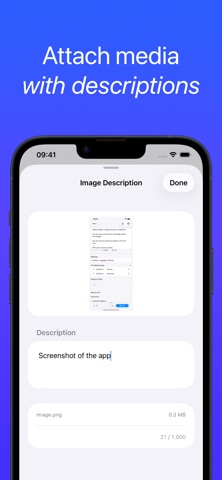
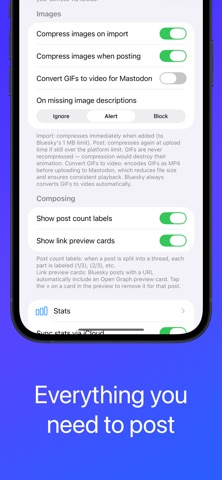
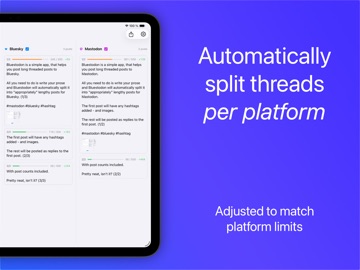
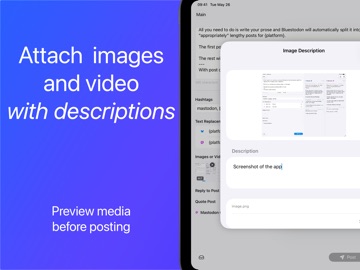
Bluestodon is a posting utility for Bluesky and Mastodon. It is not a timeline reader or social client - it has no feed, browsing, following, or notifications. Instead, Bluestodon helps you compose longer posts, split them into threads automatically, preview how they will look on each platform, and post to both services at once. # Write once, post everywhere Type once in a single composer and post to Bluesky, Mastodon, or both at the same time. Bluestodon automatically handles the different platform limits and thread structure for you. # Automatic thread splitting Long posts are split into clean threads independently for each platform. Bluesky and Mastodon use different character limits, so Bluestodon adapts automatically and shows the resulting thread live before posting. Force manual splits anywhere with `---`. # Live dual preview Preview the final thread side by side: • Bluesky preview • Mastodon preview • Character usage gauges • Post counts • Media preview cards See the exact output before sending. # Platform-specific tools Adjust posts per platform: • Text replacements and substitutions • Pinned replacements per account • Per-account defaults • Reply threading • Quote posts • Mastodon content warnings • Mastodon visibility options • Link preview cards for Bluesky # Media support Attach: • Images with alt text • Animated GIFs • Videos • Link preview cards Import by picker, drag & drop, or paste directly into the editor. # Utilities • Drafts • Export thread as text • Activity statistics • Credential validation • iCloud account sync • Multiple accounts Bluestodon is built for people who regularly publish longer posts and threads across Bluesky and Mastodon.
Latest release
What’s New
Attach different media to each platform: You can now attach different images or video to Bluesky and Mastodon in the same compose session. Tap the circle icon in the Images section to enable per-platform mode, where each platform gets its own picker. Post a video to Bluesky and images to Mastodon at the same time. Assign images to specific posts in a thread: Type `{img:1}`, `{img:2,3}`, or `{video}` on its own line to attach specific images or the video to that post in your thread. Tokens are stripped from the final text and don't count toward the character limit. Bug fixes: If a Bluesky or Mastodon credential had silently disappeared from the Keychain, the app now shows a clear warning rather than quietly skipping that platform when you post. A separate fix prevents a transient Keychain read failure from permanently deleting a valid credential.
Audience growth
Ratings growth
Baseline captured. Growth appears after the crawler observes a changed rating count.
Momentum comes from crawler snapshots for the tracked storefront. “Viral growth signal” means unusually fast recent rating gains; it is an indicator, not download data.
Price tracking
Price intelligence
First snapshot captured. The trend line starts after the next crawler price observation.
- First observed Aug 24, 2026 · 11:06 PM Free
Screenshots