About this app
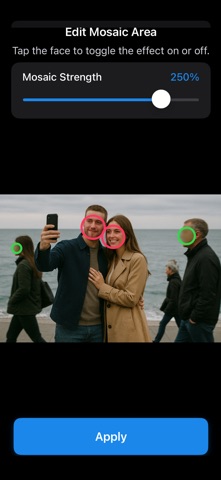
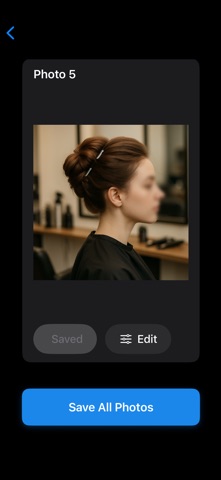
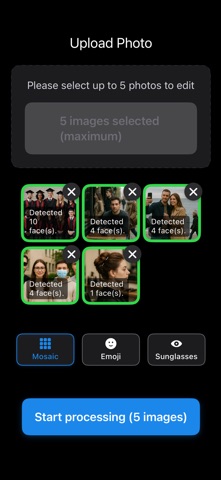
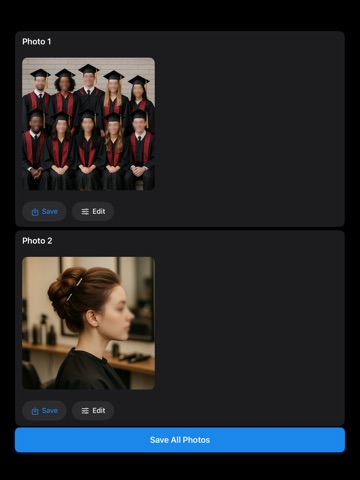
Blur Cut is a 100% offline, on-device privacy protector—no uploads, no external servers, just secure face masking via machine learning. Precision On-Device ML Face Detection: Automatically find every face in your photo Three Masking Styles: Blur, emojis, or sunglasses in one tap Batch Editing Mode: Process multiple photos at once—save time Live Preview: See effects immediately before saving Intensity Control: Adjust opacity of blur, emoji, or sunglasses masks Selective Face Editing: Tap to apply or remove masks on your own and others’ faces in group shots No Watermarks: Export clean images without branding How It Works Select photos from your album AI detects all faces on-device Choose blur, emoji or sunglasses mask Tap each face to apply or remove the effect Adjust mask intensity as desired Tap Save to store in Camera Roll Download Blur Cut now and protect both your and your friends’ privacy completely offline!
Audience growth
Ratings growth
Baseline captured. Growth appears after the crawler observes a changed rating count.
Momentum comes from crawler snapshots for the tracked storefront. “Viral growth signal” means unusually fast recent rating gains; it is an indicator, not download data.
Price tracking
Price intelligence
First snapshot captured. The trend line starts after the next crawler price observation.
- First observed Aug 19, 2026 · 10:15 AM Free
Screenshots