About this app
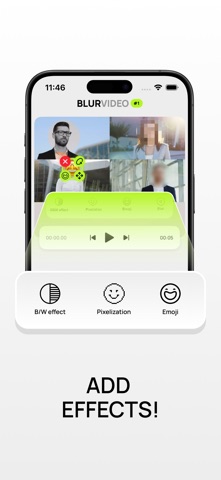
Protect Privacy in Videos with Smart Blurring "Blur Video #1" – A powerful and user-friendly tool that lets you hide sensitive data in videos in just a few steps. Use advanced blurring technology to quickly and effectively protect personal information, faces, or text in your videos. Key Features: Project Editing – Save & Manage Without Limits • All projects are auto-saved, allowing you to resume editing anytime. • Easy management: Delete, create new projects, or edit with a single click. Flexible Manual Blurring – Customize Effects to Your Needs • Add blur manually, adjust shape, size, and position. • Set keyframes for smooth blur movement. Automatic AI Blurring – Effortless Data Protection • Face Blur – AI detects and blurs all faces, keeping them in separate layers for easy editing. • Text Blur – The system automatically recognizes and hides text in videos. Masking Styles – More Than Just Blurring Choose the right effect to conceal information: • Classic Blur • Pixelation • Black & White Filter • Emoji Masking Advanced Customization – Full Editing Freedom • Use multiple blur layers simultaneously. • Choose shapes (oval or rectangle). • Adjust blur intensity for precise effects. • Duplicate layers for quick application. Fast & Easy Export • Save finished videos to your gallery with one tap. • Keep projects accessible for further editing without data loss. All editing features are available immediately after installation. However, exporting edited videos requires a subscription, letting you test all functionalities before payment. Intuitive Interface – Easy for Beginners Simple navigation, user-friendly tools, and a clear workflow ensure great results without complex settings. "Blur Video #1" is the perfect solution for protecting personal data, editing videos, and creating clean content. Try it now and experience smart blurring! Privacy policy: https://flstock.ru/get/4be25519bd6e4ae6573c9285e08db5c2e11e4d4ec1e689dd16fb06e87317f3cd Terms of use: https://flstock.ru/get/c946745ed7ec30fbd9c2bb01662da611e321ea69e689d31a6c110eff2458ed31
Latest release
What’s New
Added new blur effects. Now your videos have something to hide. Don't worry, we won't look too closely.
Audience growth
Ratings growth
Baseline captured. Growth appears after the crawler observes a changed rating count.
Momentum comes from crawler snapshots for the tracked storefront. “Viral growth signal” means unusually fast recent rating gains; it is an indicator, not download data.
Price tracking
Price intelligence
First snapshot captured. The trend line starts after the next crawler price observation.
- First observed Aug 15, 2026 · 7:10 AM Free
Screenshots