About this app
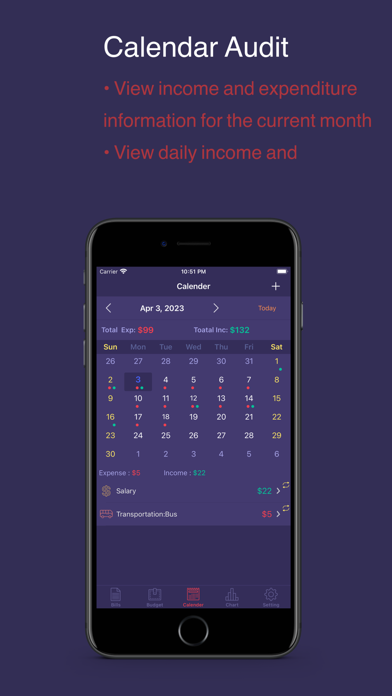
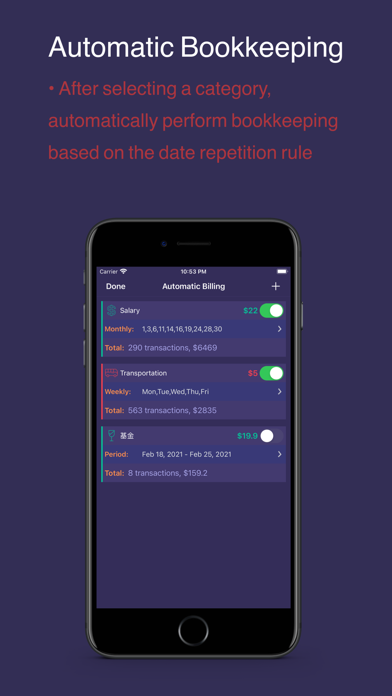
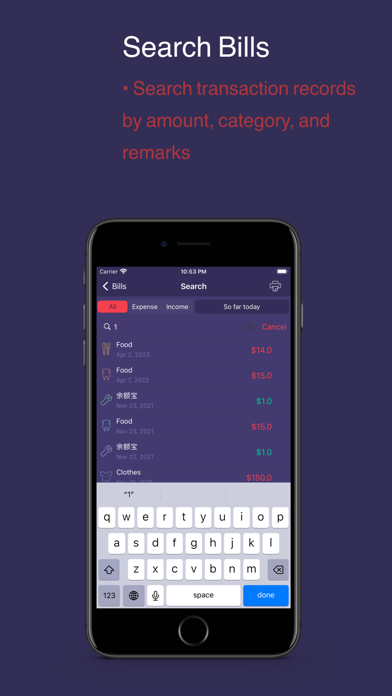
Accounting · Budget is an accounting application. By recording daily expenses, you can have a clear understanding of your personal financial situation, and help users more rationally control and manage their own finances. ************************************************* The main function: 1. Bill: Display the income and expenditure details and total income and expenditure in the selected time period. 2. Search: You can search the account details in the selected time period according to the amount, category, and remark keywords, and you can print these details. 3. Automatic bookkeeping: According to the selected category and automatic bookkeeping mode, the automatic record function can be completed automatically within a certain period of time. 4. Budget: Just select the category and time period you want to budget, and you can easily achieve the smart budget effect. 5.Calendar: It can display the total income and expenditure of the current month, as well as the income and expenditure details of the selected Zhongtian. 6. Chart: The pie chart shows the income and expenditure situation and the proportion of each detail category in the selected time period; the histogram / line chart shows the income and expenditure trend situation in the selected time period; supports the screenshot function of the chart. 7. Data export: Supports export of detailed account data in PDF, HTML and CSV formats. 8. Categories: Provide default common categories, users can also add desired categories on their own. 9. Data backup: Provides iCloud data backup function. 10. Password: You can set the APP password to protect data security.
Latest release
What’s New
- Adapted for models such as iPad Air 11. - Fixed minor bugs and known issues.
Audience growth
Ratings growth
Baseline captured. Growth appears after the crawler observes a changed rating count.
Momentum comes from crawler snapshots for the tracked storefront. “Viral growth signal” means unusually fast recent rating gains; it is an indicator, not download data.
Price tracking
Price intelligence
First snapshot captured. The trend line starts after the next crawler price observation.
- First observed Aug 20, 2026 · 10:41 PM Free
Screenshots