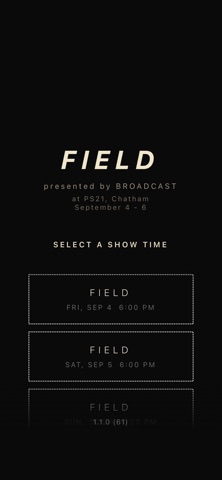
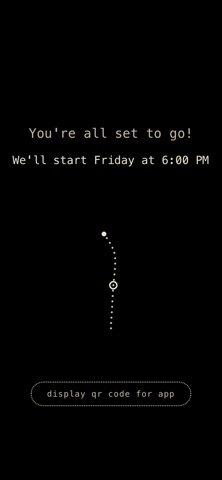
About this app
Broadcast is a synchronized live-performance audio platform. When you arrive at a participating performance, scan the venue's QR code, install and open the app, and the show's audio streams to your phone in millisecond-perfect sync with everyone else's device. Different audience members may hear different mixes depending on where they are or which section they're in, creating a shared listening experience that adapts to each listener. Broadcast is not a music streaming service or on-demand player. It only works during scheduled live performances at participating venues. When no show is active, the app is idle. FEATURES • Millisecond-accurate synchronization across every connected phone — audio plays in lock-step whether you're standing next to another audience member or across the venue. • Automatic venue check — the app confirms you're at the performance before joining. • Bluetooth headphone compatibility with automatic latency compensation so wireless headphones stay in sync with everyone else. • Offline-tolerant — brief WiFi interruptions don't break your audio; the app buffers and recovers gracefully. • Battery-friendly — designed to run for the length of a full performance. HOW IT WORKS 1. Arrive at a participating performance. 2. Scan the venue QR code and install Broadcast. 3. Open the app; it confirms you're at the venue and downloads the show's audio. 4. When the performance begins, audio plays automatically in sync with everyone else's phone. 5. When the show ends, the app returns to idle. ABOUT Broadcast is developed by Point A Works LLC in Brooklyn, NY, for live performances and events. It replaces traditional wireless in-ear-monitor systems used in theatre and live production, giving performers unlimited range and directors creative routing flexibility that no traditional radio system can match. Broadcast is optimized for headphones — Bluetooth, wired, or over-ear.
Latest release
What’s New
Fixes audio playback reliability during performances, including a rare case where audio could stop unexpectedly. Improves the show screen and reduces the amount of content downloaded on first launch.
Audience growth
Ratings growth
Baseline captured. Growth appears after the crawler observes a changed rating count.
Momentum comes from crawler snapshots for the tracked storefront. “Viral growth signal” means unusually fast recent rating gains; it is an indicator, not download data.
Price tracking
Price intelligence
First snapshot captured. The trend line starts after the next crawler price observation.
- First observed Sep 4, 2026 · 1:58 AM Free
Screenshots