About this app
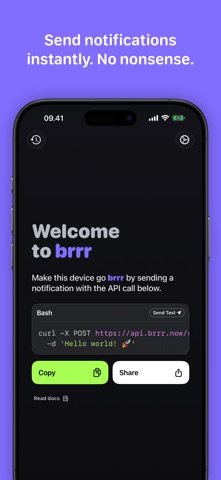
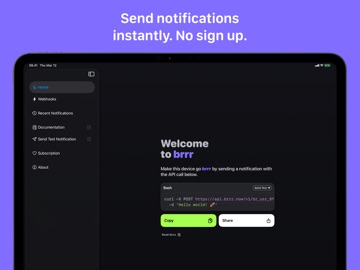
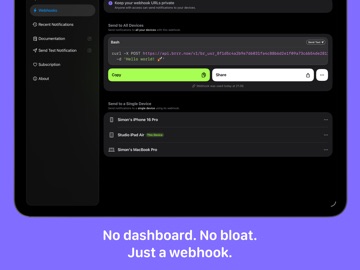
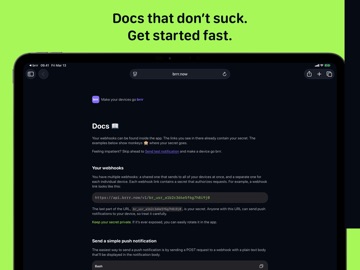
Trigger notifications from anything that can send an HTTP request: agents, scripts, automations, CI jobs, servers, smart home setups, or personal tools. No dashboard. No account setup. No unnecessary complexity. Just a small webhook that works. With brrr, you can: • Send notifications to all your devices or a single device • Trigger notifications from agents, scripts, and automations • Break through mute and Focus mode with critical notifications • Open links directly from notifications • Attach images to notifications • Keep an on-device notification history • Decide when notifications appear using Focus filters GREAT FOR AGENTS brrr is useful for agents and automations. Have an agent notify you when it is waiting for input, when a task finishes, when a run fails, when a deploy completes, or when something needs your attention immediately. FOCUS FRIENDLY brrr integrates with Focus filters so you can decide which notifications are allowed in different contexts. For example, allow work notifications during Work Focus while muting everything else. PRIVATE BY DESIGN Webhook secrets are generated on-device, and data stays tied to your iCloud account. brrr stores only what is required to verify webhook requests and deliver notifications through Apple Push Notification Service. Notification contents are not stored on the backend, and on-device history stays on your device. WHO IT’S FOR If you want a big dashboard packed with options and complexity, this probably is not for you. If you want a clean, fast way to make your devices go brrr, you will feel at home. Terms of Use https://www.apple.com/legal/internet-services/itunes/dev/stdeula/
Latest release
What’s New
Your notifications can now arrive with your own icon instead of the brrr icon. Add icon_url to a webhook payload and an alert from your build server, your smart home, or your late-night shell script shows up looking like it came from there. Full details: brrr.now/learn/custom-icons Recent Notifications has moved out of the toolbar into a tab of its own, so it's always one tap away. Its settings have moved too. They now live in Settings, just under Webhooks, alongside a new Show on Launch option that opens brrr straight to Recent Notifications.
Audience growth
Ratings growth
Baseline captured. Growth appears after the crawler observes a changed rating count.
Momentum comes from crawler snapshots for the tracked storefront. “Viral growth signal” means unusually fast recent rating gains; it is an indicator, not download data.
Price tracking
Price intelligence
First snapshot captured. The trend line starts after the next crawler price observation.
- First observed Aug 21, 2026 · 1:03 PM Free
Screenshots