About this app
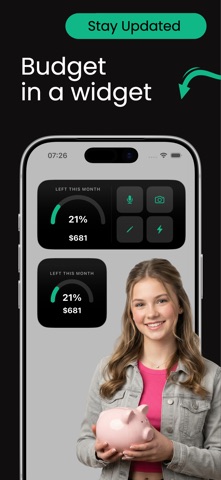
Tally helps you finally build a budgeting habit that lasts—and stick to the targets you set. Most financial apps fail because they require too much manual effort. Tally makes expense tracking and category budgeting fast, simple, and easy to stick with, so you can stay in control of your money without feeling overwhelmed. Start with our guided 28-Day Money Tracking Challenge, designed to help you build a rock-solid daily budgeting habit in just 4 weeks. TRACK EXPENSES INSTANTLY USING: • Voice Input: Just speak to log a transaction on the go. • Receipt Photos: Snap a picture and let AI extract the details. • Simple Text Entry: Fast manual logging when you need it. Tally automatically categorizes your spending and tracks it against your limits, so you spend less time typing and more time saving. BUILD BETTER MONEY HABITS IN 28 DAYS Our guided challenge helps you stay consistent with: • Daily smart reminder notifications • Weekly spending and budget-pacing reports • Insights into exactly where your money goes • Motivation and streaks to keep you tracking • Progress visualizers across all 4 weeks By the end of the challenge, managing your money becomes second nature. SET & MASTER YOUR CATEGORY BUDGETS Don't just track your past—plan your future. Tally now lets you set custom monthly limits tailored to your lifestyle: • Flexible Category Budgets: Set specific spending limits for Groceries, Dining Out, Entertainment, and more. • Real-Time Progress Bars: See exactly how much budget you have left before making a purchase. • Overspending Alerts: Get gentle notifications before you accidentally blow past your limits. UNDERSTAND YOUR SPENDING CLEARLY See your financial big picture with clean, simple insights: • Spending breakdown by custom categories • Visual budget vs. actual spending comparisons • Monthly averages and daily spending trends • Recurring bills and subscriptions overview • Comprehensive weekly and monthly reports • Set reminders for future bills (& more). DESIGNED TO BE EFFORTLESS • Fast, minimal, and intuitive interface • Zero complicated spreadsheets • Smart, AI-powered automatic categorization • Built for real everyday use Whether you want to save for a big goal, stick to your category limits, reduce impulse spending, or simply become more aware of your finances—Tally puts you in control. Start building smarter money habits today. Terms of Use (EULA): https://www.apple.com/legal/internet-services/itunes/dev/stdeula/
Latest release
What’s New
Tally now speaks three more languages: Danish, Norwegian and Dutch. • Danish, Norwegian and Dutch language support • The subscription screen now follows your in-app language • Fixes and performance improvements Thanks for using Tally — we'd love to hear what you think!
Audience growth
Ratings growth
Baseline captured. Growth appears after the crawler observes a changed rating count.
Momentum comes from crawler snapshots for the tracked storefront. “Viral growth signal” means unusually fast recent rating gains; it is an indicator, not download data.
Price tracking
Price intelligence
First snapshot captured. The trend line starts after the next crawler price observation.
- First observed Aug 19, 2026 · 5:14 AM Free
Screenshots