About this app
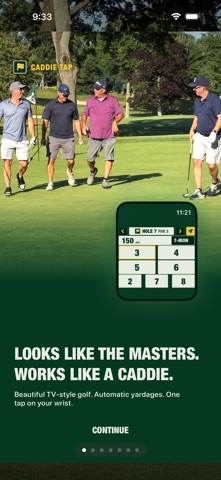
Caddie Tap is a simple Apple Watch golf GPS, scorecard, and shot-tracer app for the round you are playing right now. Built for golfers who want yardage and scoring without a bloated golf app: open Caddie Tap, see the hole, check your distance, tap a score, and keep moving. WHY GOLFERS USE CADDIE TAP - Apple Watch golf GPS with fast score entry. - Front/center/back yardage and club picks from your own bag. - One-tap scoring on iPhone and Apple Watch. - Clean scorecards, round history, and game stats. - Group rounds with final leaderboard share links. - Record Shot: record or import a swing clip and render a TV-style shot tracer. - Real aerial hole views and manual course picking when you want control. - No account required; rounds stay on your device. Caddie Tap is strongest when you want a quiet round: glance at your wrist, tap the score, and get back to golf. SUBSCRIPTION Try the first hole free. Unlock unlimited rounds with Caddie Tap Pro: $19.99/year with a 3-day free trial. - Payment is charged to your Apple ID at confirmation of purchase. - Your subscription renews automatically at $19.99/year unless auto-renew is turned off at least 24 hours before the end of the current period. - Manage or cancel anytime in your App Store account settings. Terms of Use: https://caddietap.golf/terms Privacy Policy: https://caddietap.golf/privacy Simple golf GPS. One-tap scoring. Built for Apple Watch.
Latest release
What’s New
• A real scorecard, finally: the Card tab now looks and works like the paper card in your cart — holes across, your foursome down, tap any box to pencil in par and adjust from there. • Your group is safe: names, photos, and scores now survive your phone locking mid-round. Pick up exactly where you left off. • Better hole tracking: when GPS thinks you've walked to the next hole, a one-tap "Looks like hole 8" prompt appears instead of silently losing you. • End a round anytime — a round with no scores can now be discarded cleanly, and your watch shows a proper round-complete screen. • Share your round as a filled-in scorecard image.
Audience growth
Ratings growth
Baseline captured. Growth appears after the crawler observes a changed rating count.
Momentum comes from crawler snapshots for the tracked storefront. “Viral growth signal” means unusually fast recent rating gains; it is an indicator, not download data.
Price tracking
Price intelligence
First snapshot captured. The trend line starts after the next crawler price observation.
- First observed Sep 26, 2026 · 10:28 PM Free
Screenshots