About this app
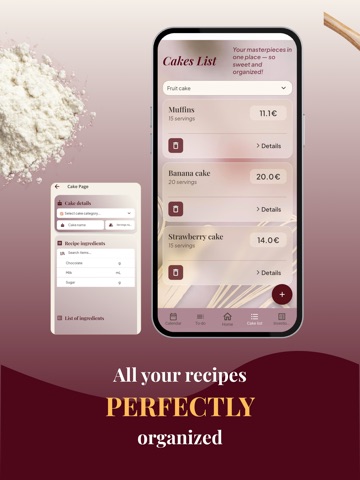
Stop calculating cake costs by hand. CakeFlow Planner helps home bakers, cake artists, and small bakery businesses calculate cake costs, scale recipes, track inventory, manage orders, and organize baking tasks in one app. No more guessing prices or calculating everything by hand. CakeFlow Planner helps you understand the cost of your cakes by using your ingredients, quantities, material costs, and production details, so you can make clearer pricing decisions for every order. Cake cost calculator Add your ingredients, prices, and quantities, then use them in recipes to calculate recipe and order costs more easily. CakeFlow Planner helps you see what each cake really requires before you bake. Recipe recalculator Scale your recipes based on servings, cake size, or production needs. Whether you are preparing a larger customer order or a smaller batch, CakeFlow Planner helps adjust ingredient quantities quickly and clearly. Inventory tracking Keep your ingredients and materials organized in one place. Track stock levels, spot low or negative quantities, and avoid last-minute surprises before baking. Automatic inventory updates When you create or delete an order, CakeFlow Planner recalculates your inventory based on the recipes and ingredients connected to that order. Order planning Use the built-in order calendar to manage cake orders by date. See what needs to be prepared, organize upcoming work, and stay on top of deadlines. Task management Create tasks for shopping, baking, decorating, packing, delivery, and other baking work, so your workflow stays clear from planning to pickup. CakeFlow Planner is built for bakers who want to replace scattered notes, spreadsheets, and manual calculations with one organized cake planning system. Start small: add a few ingredients, create your first recipe, and see how CakeFlow Planner helps calculate costs and organize your baking work. Download CakeFlow Planner and start planning your cake business with clearer costs, better organization, and less guesswork. Terms of Use: https://www.apple.com/legal/internet-services/itunes/dev/stdeula/
Latest release
What’s New
General performance improvements and a new feature added.
Audience growth
Ratings growth
Baseline captured. Growth appears after the crawler observes a changed rating count.
Momentum comes from crawler snapshots for the tracked storefront. “Viral growth signal” means unusually fast recent rating gains; it is an indicator, not download data.
Price tracking
Price intelligence
First snapshot captured. The trend line starts after the next crawler price observation.
- First observed Aug 23, 2026 · 1:23 PM Free
Screenshots