About this app
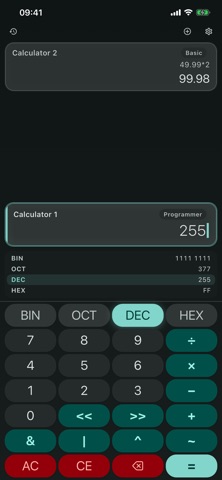
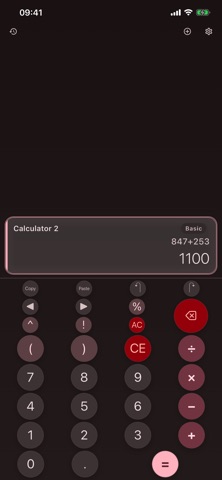
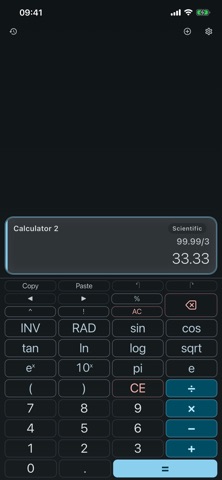
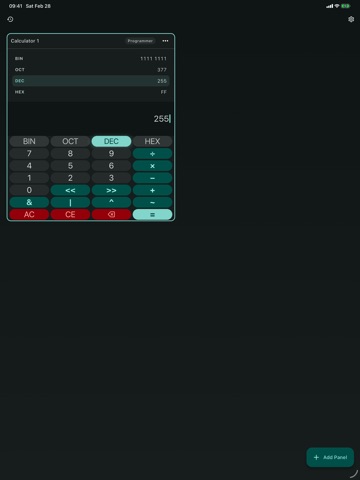
CalcBoard is a calculator with no ads, no subscriptions, and no tracking. Compare prices side by side, run multiple calculations at once, and get precise results — without a single pop-up interrupting your math. NO ADS. NO SUBSCRIPTIONS. EVER. CalcBoard will never interrupt your calculations with pop-ups, banners, or full-screen ads. Premium features are available through a single one-time purchase — no monthly charges, no recurring fees. COMPARE PRICES SIDE BY SIDE Shopping for the best deal? Open two calculators on the same screen and compare unit prices, discounts, or totals without switching back and forth. CalcBoard is the fastest way to figure out which option actually saves you money. MULTIPLE CALCULATORS, ONE SCREEN Run up to eight independent calculator panels simultaneously. Compare prices, check homework, run different scenarios, or calculate tips for a split bill — all without losing your place. SEE YOUR WORK Every expression stays visible as you type — no more guessing what you entered. Every calculation is saved automatically; bookmark and label the important ones, and with Premium search your full history and export it to CSV. FOUR POWERFUL MODES • Basic — Clean, fast arithmetic for everyday math • Scientific — Trig, logs, exponents, and advanced functions • Programmer — Hex, binary, octal, and decimal shown at the same time, with bitwise operations • Unit Converter — 79 units across 10 categories: length, mass, temperature, area, speed, time, data, volume, energy, pressure SHARED VALUE TRAY Push any result to the shared value tray and pull it into another panel. Chain calculations across panels without retyping numbers. NAMED VARIABLES Type tax=0.0825 once, then use price*tax in any panel. Your variables persist between sessions and work in every calculator mode. INSTANT ACCESS FROM CONTROL CENTER (iOS) Add CalcBoard to your iPhone's Control Center and launch it in a single tap from any screen — no hunting through your home screen. Open Settings → Control Center to add the CalcBoard control. PRECISE RESULTS CalcBoard uses arbitrary-precision decimal arithmetic. No floating-point rounding errors. 0.1 + 0.2 = 0.3, exactly. YOUR DATA STAYS ON YOUR DEVICE No ad SDKs, no analytics trackers, no unnecessary permissions. Your calculations are stored locally and never leave your device. DESIGNED FOR EVERYONE • VoiceOver and TalkBack labels on every key • Light and dark themes with 8 color options and 6 button styles • Large touch targets and haptic feedback on every button • Full iPad support with Split View and hardware keyboards FREE TO START, PAY ONCE TO UNLOCK Two calculator panels and basic mode are free, forever. One purchase unlocks everything — scientific mode, programmer mode, full unit converter, extra panels, shared value tray, full history with search and export, themes, and more. No subscriptions. No recurring charges.
Latest release
What’s New
- Reliability fixes: a hardened expression engine and correct restore of your panels, variables, and layout on relaunch. - Now requires iOS 16 or later. - Rate CalcBoard without leaving the app — a single optional prompt after you've used it a while. Never a nag.
Audience growth
Ratings growth
Baseline captured. Growth appears after the crawler observes a changed rating count.
Momentum comes from crawler snapshots for the tracked storefront. “Viral growth signal” means unusually fast recent rating gains; it is an indicator, not download data.
Price tracking
Price intelligence
First snapshot captured. The trend line starts after the next crawler price observation.
- First observed Sep 13, 2026 · 4:40 PM Free
Screenshots