About this app
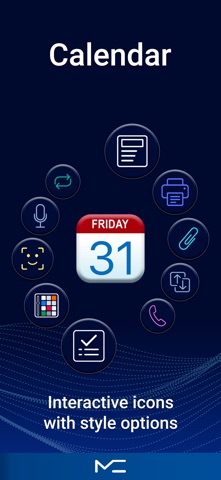
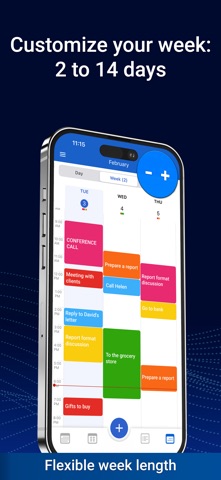
MC Calendar is your all-in-one planner for organizing your day, week, month — and even your entire year. Whether you're managing work, personal goals, or both, this smart calendar app keeps everything in one place — so you stay productive and in control. Custom Navigation Customize your experience by choosing which features appear in the bottom navigation bar. Quick access to what you use most — your app, your way. Daily Planner & Smart Calendar Plan your schedule — online or offline. Sync effortlessly with Google, iCloud, Outlook, Office365, and more. Use drag & drop to adjust events, attach files, print your schedule, send invites, or even create voice-based events. Switch between day, week, month, or year views — whatever suits your style. Tasks & Reminders Break down tasks into subtasks, convert them into calendar events — or reverse them back. Everything syncs with your device’s native Reminders app. Premium features include private task lists, recurring tasks, filters, and smart notifications. Notes Capture voice or text notes, add drawings or images, and turn any note into a task when you're ready to act. Perfect for ideas, checklists, and daily thoughts — all in one place. Interactive Widgets Get things done faster with home screen widgets for tasks, notes, and events. Use voice widgets to add new entries — hands-free. More Features: Up to 5 private calendars Full data backup & restore App lock for privacy and security Share events, tasks, and notes with others Switch accounts while editing Interface settings that match your workflow All essential features are free. Unlock advanced tools with Premium — available as a monthly, annual, or one-time purchase. MC Calendar brings clarity, flexibility, and focus to your daily planning. Download today and take control of your time — your way. Terms of Use https://mccalendar.app/terms_of_use.html Privacy Policy https://mccalendar.app/privacy_policy.html
Latest release
What’s New
Improved interface and navigation Increased stability and performance Fixed bugs and minor issues We’d love to hear your feedback — contact us at: planner@plantech.app
Audience growth
Ratings growth
Baseline captured. Growth appears after the crawler observes a changed rating count.
Momentum comes from crawler snapshots for the tracked storefront. “Viral growth signal” means unusually fast recent rating gains; it is an indicator, not download data.
Price tracking
Price intelligence
- First observed Aug 15, 2026 · 1:38 AM Free
Screenshots