About this app
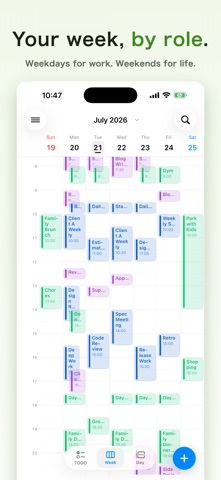
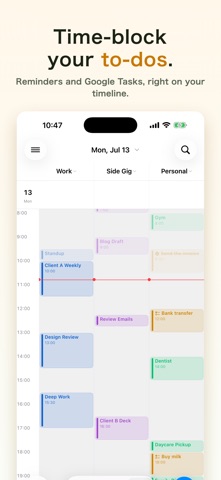
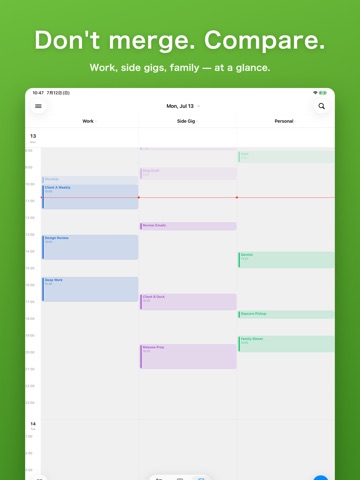
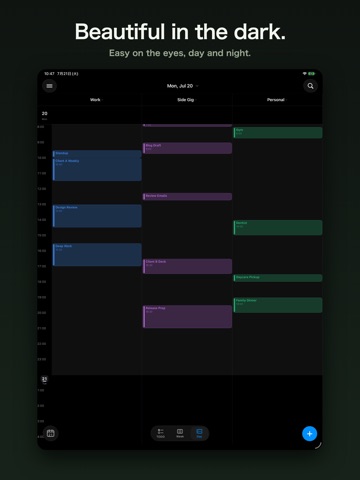
■ Don't merge. Line them up. Work, side gigs, family, fandom. The more calendars you keep, the harder they are to read squashed into one timeline. You chase colors and re-derive which event belongs to which role every single time. Switching-based apps keep your roles apart, but then you can't see conflicts with the side you've hidden. Calendoc's answer is to line them up. Each account's calendar becomes its own vertical column, side by side on one screen. Your roles stay unmixed, and double-bookings are impossible to miss. ■ Built for • Using both a company Google Workspace and a personal calendar • Going back and forth between several schedules for a side gig or second job • Freelancing with a separate calendar per client • Keeping fan activities like concerts, meetups, and livestreams in a dedicated calendar • Putting only the big items like "work" on a shared calendar, and keeping the fine details in your own • Wanting work and private life "unmixed, but visible at the same time" ■ Features PARALLEL CALENDARS • Show multiple accounts (iCloud / Google / Exchange…) as side-by-side columns • Day and week views, per-group visibility • Drag to move or resize, copy & paste, undo SERIOUS GOOGLE CALENDAR SUPPORT (one-time Pro) • See and set working locations (office / home) • True Google event colors • RSVP to invitations (yes / no / maybe) • View, add, and complete Google Tasks TASKS ON YOUR TIMELINE • Place Reminders and Google Tasks as time blocks on your day • Task management that decides not just what to do, but when A DAILY DRIVER • Natural-language entry like "standup tomorrow 10am," plus event templates (Pro) • Travel time, cross-account search • Home Screen widgets • Dark mode, localized in 8 languages ■ Side by side is free for everyone The core calendar and up to 4 parallel columns are free, forever. No ads. The full Google integration, 5+ columns, templates, natural-language entry, and every widget size come with a one-time Pro purchase. No subscriptions. A 14-day free trial opens up every Pro feature. When it ends, you drop back to the free tier and your data stays exactly as it was. ■ Privacy Your schedule data never leaves your device. There are no developer servers, and Google integration talks straight from your device to Google. Questions or ideas? Reach out any time through the support page. Calendoc is built by one person, and every message gets read.
Latest release
What’s New
What's new in Calendoc 1.2.1: - Refined event cards with a color accent that blends into the card outline - Tuned fills and borders for a cleaner look in Light and Dark modes Feedback is always welcome via the support page.
Audience growth
Ratings growth
Baseline captured. Growth appears after the crawler observes a changed rating count.
Momentum comes from crawler snapshots for the tracked storefront. “Viral growth signal” means unusually fast recent rating gains; it is an indicator, not download data.
Price tracking
Price intelligence
First snapshot captured. The trend line starts after the next crawler price observation.
- First observed Aug 24, 2026 · 12:13 AM Free
Screenshots