About this app
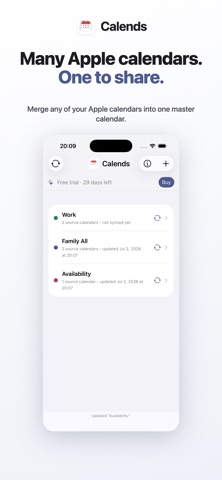
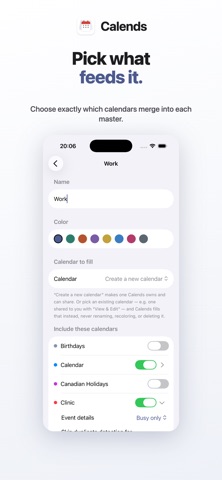
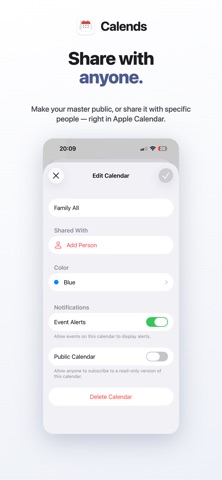
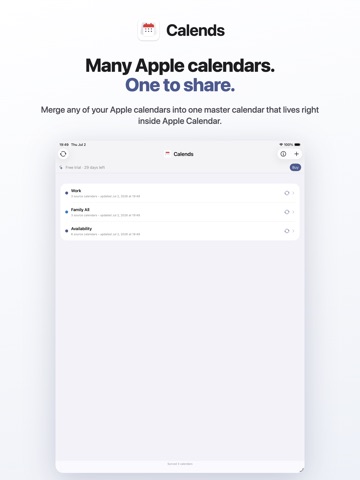
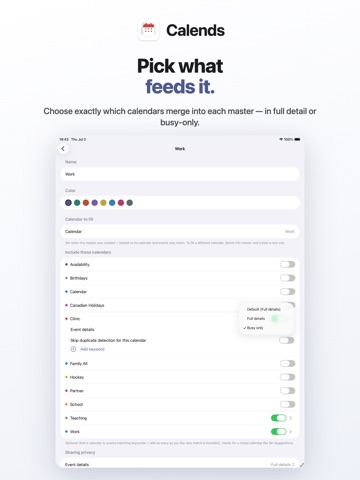
Most of us don't have one calendar, we have a pile of them. Work, personal, your partner's, the kids' school and teams, plus everything you subscribe to. Apple Calendar can show them together, but it can't fold them into a single calendar you own, sync everywhere, and hand to someone else. Calends does. It takes the calendars you already see in Apple Calendar, work accounts (Outlook, Exchange, Google), iCloud, subscribed feeds, and merges them into one master calendar that lives right inside Apple Calendar. Keep it to yourself, or share it with anyone. Build as many as you need, each showing exactly what its audience should see: • One family calendar, every school, sports, and activity feed, plus both parents' schedules, on everyone's devices. • Your whole work schedule for your partner, on-call, clinic, shifts, travel, as one calendar they simply subscribe to. • Just enough for colleagues and assistants, or share BUSY-ONLY, so they see when you're free to meet, never the details. You can even replace "Busy" with a label of your choosing. WHAT MAKES CALENDS DIFFERENT Calends never logs into your accounts. No OAuth, no password, nothing for IT to approve, it only reads what your device already syncs into Apple Calendar. That's why it works even in locked-down workplaces, universities, hospitals, finance, government, where calendar apps that ask to sign in are blocked. And there's no monthly subscription: it runs entirely on your device. • No logins, no accounts, no servers • No subscription — pay once • Everything stays in your private iCloud • Works on iPhone, iPad, and Mac, always in sync HOW IT WORKS 1. Create a master calendar, name it, give it a color. It appears right inside Apple Calendar. 2. Pick which of your calendars feed it, iCloud, work, Google, subscribed feeds. 3. Share it like any calendar, or keep it private. Calends keeps it filled, deduplicated, and up to date in the background. Your original calendars are never touched, Calends only ever writes to the master it maintains, so you can delete one anytime and every source stays exactly as it was. PRIVATE BY DESIGN No account to create. Nothing to log into. No data ever leaves your devices and your own iCloud. PRICING Free for 30 days, then a one-time purchase, no subscription. Includes Family Sharing.
Latest release
What’s New
Calends 2.1.3 - Calendars that one of your devices can't read, such as a work account that only works on your Mac, now appear in the master's calendar list with a note saying which device keeps them up to date, instead of quietly not appearing at all. - Calendars can only be removed from a master once nothing has read them for a while, so a work calendar your phone simply can't see is never offered for removal there.
Audience growth
Ratings growth
Baseline captured. Growth appears after the crawler observes a changed rating count.
Momentum comes from crawler snapshots for the tracked storefront. “Viral growth signal” means unusually fast recent rating gains; it is an indicator, not download data.
Price tracking
Price intelligence
First snapshot captured. The trend line starts after the next crawler price observation.
- First observed Aug 26, 2026 · 5:44 PM Free
Screenshots