About this app
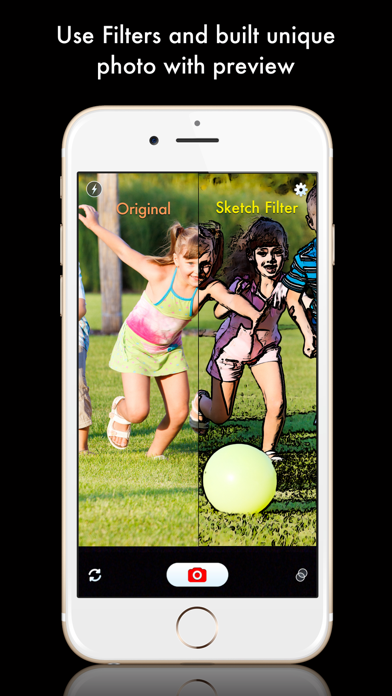
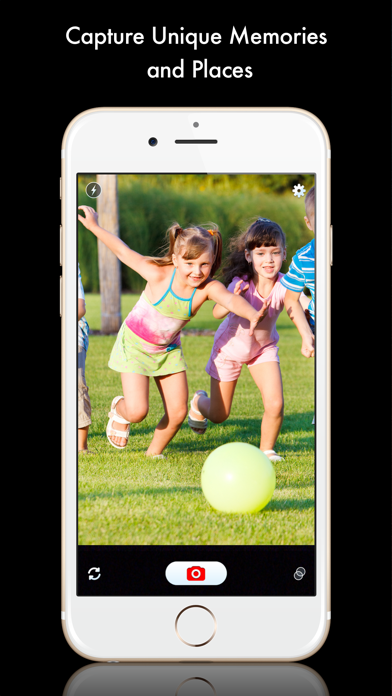
Camera Filters! is an easy to use UNIVERSAL app to capture photos in any setting of your choice, using the built-in live filters. - Landscape and Portrait mode support - No Advertisement - Universal app - Simple and clean UI Preview your photos in any of the cool filters and pick the right one to create an impressive photo. - Saturation, Contrast, Brightness, Exposure, Sharpen - Crop, Gamma, Haze, Sepia, Color invert - Grayscale, Threshold, Pixellate, SED, Sketch - Toon, Posterize, Vignette - four different Blur modes Many of the filters are configurable! Pick the best look that you like and share your 'better' photo with friends :) ---------------- NOTE : Camera Filters! cannot be used to edit existing photos. It can only be used to take new photo. ---------------- HOW TO USE THE APP ? ==================== - Tap the camera preview, a scroll bar will appear at bottom with various filters. - Scroll the list and choose any filter by tapping its icon. - Camera preview will now have the selected filter applied. - Tap the camera preview again to hide the filter bar. Device dependent features include front camera switch to take interesting self shots. Share your imagination with your loved ones. Snap and post to Facebook quickly, impress your friends. If you like this app, please rate it 5 stars and share with your friends. If you have any suggestions, please contact us. Visit http://www.aisoftware.mobi for a complete list of our apps.
Latest release
What’s New
This update from Apple will improve the functionality of this app. No new features are included. Minor bug fixes.
Audience growth
Ratings growth
Baseline captured. Growth appears after the crawler observes a changed rating count.
Momentum comes from crawler snapshots for the tracked storefront. “Viral growth signal” means unusually fast recent rating gains; it is an indicator, not download data.
Price tracking
Price intelligence
First snapshot captured. The trend line starts after the next crawler price observation.
- First observed Aug 20, 2026 · 5:06 AM Free
Screenshots