About this app
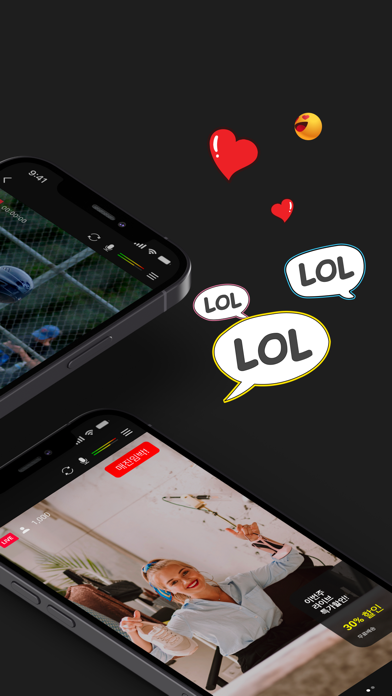
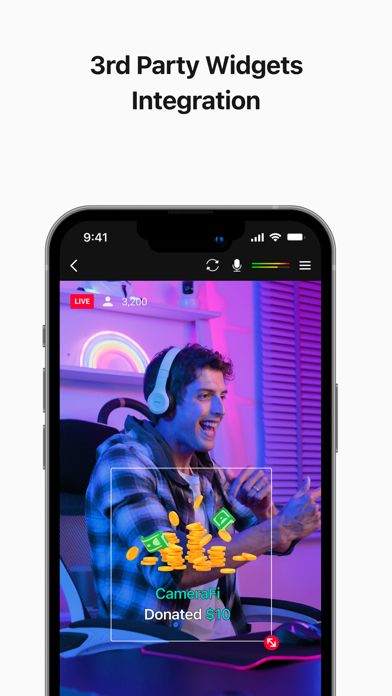
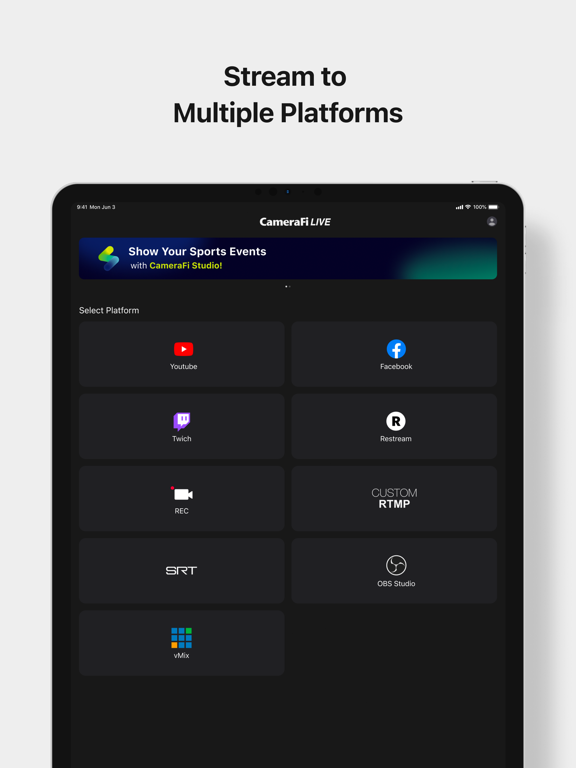
Use CameraFi Live for all your recording & live streaming needs! Stream on platforms like YouTube, Facebook and Twitch with high-quality content, effects, and real-time editing features. With features like sports scoreboards, and external camera connections, you can produce impressive videos and live streams effortlessly. [Main Features] • Camera Mode Start live streaming with the 'Camera Mode' that broadcasts your smartphone camera shooting! (Mobile screen capture mode to be released soon) • Screen Broadcasting Mode (New) Share your entire device screen in real time! Stream screen content such as mobile games and app tutorials directly to your viewers. • Image, Text Overlay You can easily add image and text sources while live-streaming. Use various effects to easily edit real-time video effects on your mobile device. • Chat You can interact with your viewers in real-time by watching and responding to their chat messages. Super Chat is also supported! • Web Browser Overlay You can connect live-streaming donation/subscription alert platforms such as Streamlabs by web source overlay. Monetize your live broadcast. • External Camera Connection You can connect external USB cameras, such as camcorders, DSLRs, webcams, and drones to your smartphone. By using Accsoon SeeMo, you can now easily use professional cameras for high-quality live streaming. • Motion Effect Apply diverse cool effects to attract viewers. With a few clicks, you can add sports scoreboards, subtitles, and animation effects. • Save a Live Video You can save your live-streaming video in your smartphone memory to create a highlight video afterwards. [Specifications] • Streaming Server YouTube, Facebook, OBS, vMix, RTMP and SRT(Secure Reliable Transport) • Interfaces - Video source: Built-in Camera - Audio source: Built-in Mic, Bluetooth microphone and Internal sound • Video Size SD(640×480), HD(1280×720), FHD(1920x1080) ~ up to UHD(4K, 3840x2160) (Varies from platforms and smartphone models) • Encoder H.264 and HEVC [Required Permissions] • Storage: Used for saving photos/vidoes or load stored photos/videos • Microphone: Used for recording souynd during video recording • Camera: Used for taking pictures and videos • Notification: Used for indicating information about live streaming in the notification area [Feedback] If you have any comments or questions about the app, please use the feedback button on CameraFi Live(CameraFi Live settings > Feedback > Suggest a feature/Report a bug). • Blog: https://blog.camerafi.com/ • Facebook: https://www.facebook.com/vaultmicrocamerafi • Email: apps.help@vaultmicro.com • Terms of use: https://blog.camerafi.com/2019/12/camerafi-live-terms-of-use.html • Privacy policy: https://blog.camerafi.com/2019/12/camerafi-live-privacy-policy.html
Latest release
What’s New
Bug fixes and performance improvements.
Audience growth
Ratings growth
Baseline captured. Growth appears after the crawler observes a changed rating count.
Momentum comes from crawler snapshots for the tracked storefront. “Viral growth signal” means unusually fast recent rating gains; it is an indicator, not download data.
Price tracking
Price intelligence
First snapshot captured. The trend line starts after the next crawler price observation.
- First observed Aug 19, 2026 · 9:37 AM Free
Screenshots