About this app
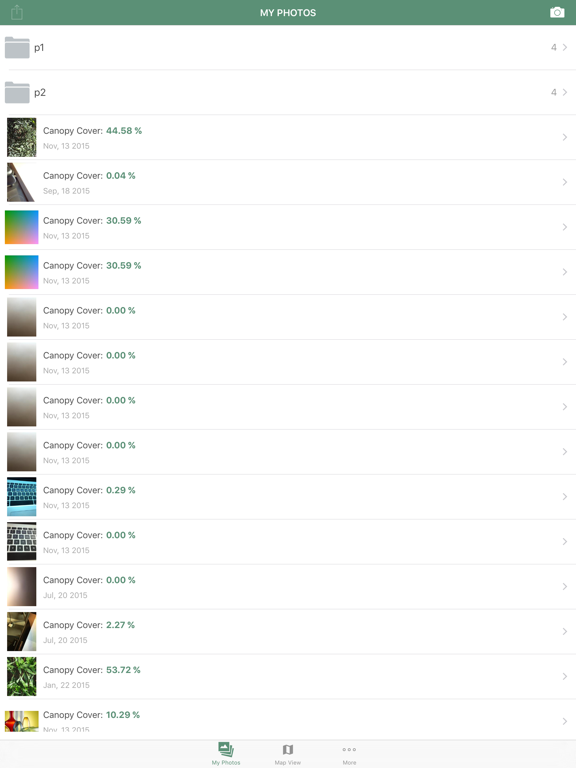
Canopeo is a rapid and accurate green canopy cover measurement tool. Use this app to quantify the percent canopy cover of live green vegetation for any agricultural crop, turf, or grassland based on downward-facing photos taken with your mobile device. Replace the traditional visual scoring or the sometimes expensive desktop programs with this powerful and portable quantitative tool. Canopeo is based on research conducted at Oklahoma State University and allows you to accurately determine the percent canopy cover in real-time, so that you can precisely monitor crop progress and make informed management decisions. Potential applications include: quantifying canopy cover of small grains and row crops; measuring crop damage by freeze, hail, or herbicide; evaluating turf grass stands. Canopeo enables you to add notes associated with each image and upload images to your account so that you can easily review and share the information gathered in the field from your office or at home at anytime. Canopeo automatically records the geographic coordinates and the current date and time so that you always know when and where each image was taken. Also, any existing images in your photo roll can be accessed through Canopeo to calculate the percent canopy cover. STEPS TO USE CANOPEO [1] Download the Canopeo App and create your account. [2] Take a downward-facing photo of the vegetative canopy using your mobile device. For best results keep the lens at least 0.6 m (2 ft) from the top of the canopy. [3] In the second screen, compare the color image with the processed image to see whether the default settings are capturing the green pixels properly. In the processed image, the white pixels should match the green pixels in the original image. If you think that slight adjustments are needed to match the images, simply move the adjustments slider to correct the processed image. Typically the default settings provide accurate canopy cover estimates. [4] Add notes for the image such as crop type, planting date, vegetation height, and more before uploading the images with the associated data to your personal account. [5] From a web browser, sign in into your account and review your images, search for a particular image, or view all your images on a map.
Latest release
What’s New
This app has been updated by Apple to prepare for watchOS 27 compatibility. No new features are included. Added option to upload images when Wi-Fi is available Added screen that displays images in the user's account Added screen that shows the geographic location of images in the user's account Improved accessibility to user's account information Fixed canopy cover classification routine Added new species to vegetation list (Alfalfa, Barley, Canola, Rye) Added visualization of slider settings for reproducibility Improved flexibility of "Additional Information" screen
Audience growth
Ratings growth
Baseline captured. Growth appears after the crawler observes a changed rating count.
Momentum comes from crawler snapshots for the tracked storefront. “Viral growth signal” means unusually fast recent rating gains; it is an indicator, not download data.
Price tracking
Price intelligence
First snapshot captured. The trend line starts after the next crawler price observation.
- First observed Aug 27, 2026 · 2:37 AM Free
Screenshots