About this app
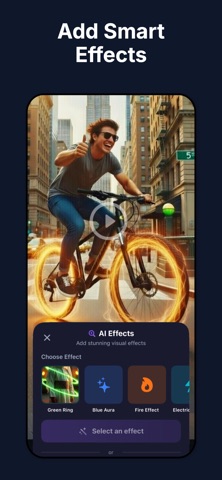
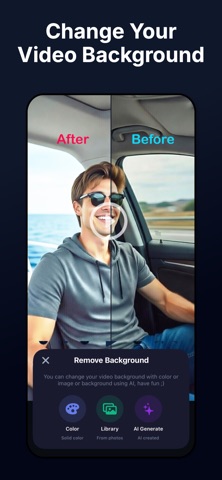
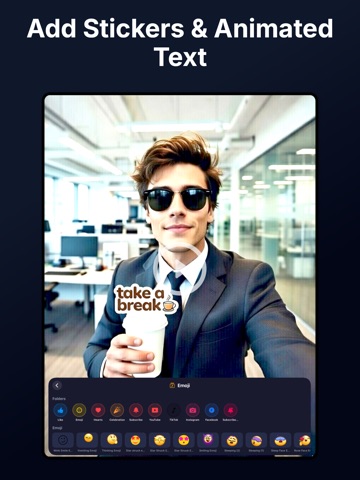
Create videos people actually watch without editing yourself. Captionia helps you edit videos, add captions, clean audio, change backgrounds, translate videos and clips, and even create images or video clips just by asking. Tell the app what you want, and it does the work for you. Made for short and social videos, ready to share anywhere. Auto Edit Just by Asking Skip the complicated editing. Describe what you want and the app edits your video for you. You can fine-tune everything anytime. Auto Captions That Keep People Watching Most people watch videos without sound. Captionia adds captions from your voice automatically. Captions match your speech and are easy to edit. Change Video Backgrounds Easily Remove and replace video backgrounds automatically. Use clean colors, images, or scenes. No green screen needed. Clean Audio and Remove Noise Remove background noise in one tap. Make voices clearer and smoother. Cut silence for better flow. Translate Videos and Reach More People Translate captions automatically. Support for voice translation. Perfect for global audiences. Create Images and Videos by Asking Need visuals for your video? Ask the app to create images or video clips and insert them directly into your timeline. Effects, Stickers, and Text Add effects and filters. Use animated text and stickers. Apply branding easily. Simple Editing Tools for Daily Use Trim, cut, merge, and adjust speed. Everything works with simple taps. Ready for Social Media Your videos are optimized for sharing. No resizing. No cropping. Just post. Built for Everyday Creators Creators, influencers, businesses, educators, and anyone who posts videos online. We are constantly improving Captionia based on what creators need. Focus on creating and let us handle the rest. Create videos people actually watch. Edit videos, generate captions and subtitles, remove background, trim clips, crop, cut, translate videos, clean audio, and add effects — all in one powerful creator app. Captionia is an AI video editor and Reels maker that helps creators edit videos automatically, generate captions, enhance audio, remove backgrounds, and create clips ready for social media. Subscription Information Some features require a subscription or credits. Subscriptions renew automatically unless canceled at least 24 hours before the end of the current period. Manage your subscription in your App Store account settings. Terms of Use: https://bestappss.co/terms/ Privacy Policy: https://bestappss.co/privacy-policy/
Latest release
What’s New
- Bug fixes and performance improvements. - We fixed some issues and improved overall stability.
Audience growth
Ratings growth
Momentum comes from crawler snapshots for the tracked storefront. “Viral growth signal” means unusually fast recent rating gains; it is an indicator, not download data.
Price tracking
Price intelligence
- First observed Aug 7, 2026 · 8:24 PM Free
Screenshots