About this app
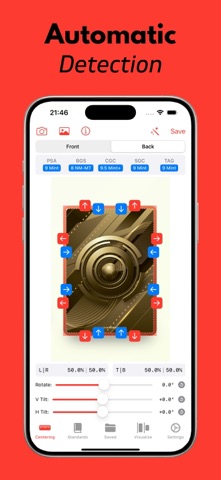
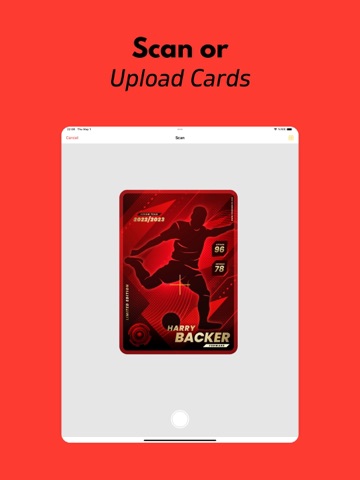
Get accurate centering measurements for your trading cards quickly and easily. Ideal for collectors preparing cards for PSA, BGS, CGC, SGC, or TAG grading. - Easy image import (Camera or Photos). - Automatic border detection plus manual guide adjustments. - Clear Left/Right and Top/Bottom centering results. - Compare potential grades across major grading companies. - Save and manage your analyzed cards. Stop guessing, start measuring! Get Card Centering Calculator now. Privacy Policy: https://ccc.ardasen.com/privacy.html Terms of Use: https://ccc.ardasen.com/terms.html
Latest release
What’s New
This update is mostly about getting the measurement right the first time — and giving you the tools to fix it yourself when it isn't. Detection - More accurate card and border detection, with fewer false results on photos that aren't cards - Photos taken at an angle are straightened automatically - Auto zoom and crop frame the card for you, so the guides are easy to reach - Saved cards now use the same detection, so re-measuring one is as good as measuring a new photo Editing - Crop a photo, or undo every edit and get the original back - Fix perspective by dragging a pin onto each corner, with a magnifier to place them exactly Customization - Style the guides your way — colours, line width, dashes, handle size, how many handles and where they sit - Choose which grading standards appear throughout the app - Turn auto detection, straightening, zoom and crop on or off to suit how you shoot - Haptics, dark mode and camera level precision are all yours to set Sharing - Share a card as a slab-style image with its grades and measurements Saved cards - Rename and re-file cards, or swipe to edit from the list - Re-measure, crop, share and adjust a saved card just like a new one Camera - Macro on supported iPhones, adjustable light, tap to focus, pinch to zoom - Your camera settings are remembered for next time Also - Fixes for guide placement and measurement accuracy Thanks for using Card Centering Calculator. If something doesn't measure the way you expect, send us a note from Settings → Feedback — it genuinely shapes what gets fixed next.
Audience growth
Ratings growth
Momentum comes from crawler snapshots for the tracked storefront. “Viral growth signal” means unusually fast recent rating gains; it is an indicator, not download data.
Price tracking
Price intelligence
- First observed Aug 21, 2026 · 2:51 AM Free
Screenshots