About this app
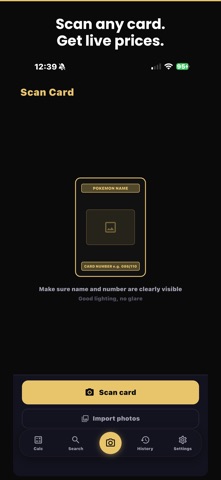
CardCalc - The Pokémon Card Show Calculator Whether you're buying, selling, or trading cards at a show or shop, CardCalc makes pricing instant and accurate. Built for card show vendors, collectors, and shop owners. FREE FEATURES Perfect for card show calculations: - Buy/sell calculator with Trade % and Cash % - Live card price search powered by TCGPlayer data - Per-card percentage overrides - Preset % buttons for Trade and Cash - Manual card entry - Multiple currency symbols ($, C$, €, £, ¥, ₱) - No ads, no tracking, privacy-focused CARDCALC PRO Unlock the full card show toolkit: - AI camera scanning - instantly identify any raw Pokémon card with on-device recognition - 10,000+ card local database - faster, more accurate matching with no internet required - Price history charts - 1M, 3M, 6M, and 1Y trends from TCGPlayer - Session history - save and review past card show sessions - Track bought, sold & traded - tag every card and session so you always know what happened - Full card detail sheets with condition pricing (NM, LP, MP, HP, DMG) - English and Japanese card support PERFECT FOR - Pokémon card show vendors and collectors - Anyone managing complex buy/sell/trade deals - Card shops and hobbyists who need fast, accurate pricing EARLY ACCESS CardCalc is actively developed. New features and improvements ship regularly. Your feedback shapes what comes next. SUPPORT - Email: phu@cardcalcapp.com - Website: cardcalc.net - Terms of Use: https://cardcalc.net/terms.html - Privacy Policy: https://cardcalc.net/privacy.html From the community, for the community. CardCalc is the essential tool for every card deal.
Latest release
What’s New
What's New in 4.1: - Improved a new way of card scanning for Scarlet & Violet era cards, plus Trainer Gallery, Radiant Collection, and Galarian Gallery cards - Refreshed search screen with a cleaner layout - Smoother calculator: swipe-to-delete, condition options on manual entries, and a cleaner selection mode - Fixed graded card pricing and price history charts - Various search improvements: better results, fewer duplicates, and priced cards shown first Questions or feedback? Reach us at phu@cardcalcapp.com
Audience growth
Ratings growth
Baseline captured. Growth appears after the crawler observes a changed rating count.
Momentum comes from crawler snapshots for the tracked storefront. “Viral growth signal” means unusually fast recent rating gains; it is an indicator, not download data.
Price tracking
Price intelligence
First snapshot captured. The trend line starts after the next crawler price observation.
- First observed Sep 1, 2026 · 2:51 PM Free
Screenshots