About this app
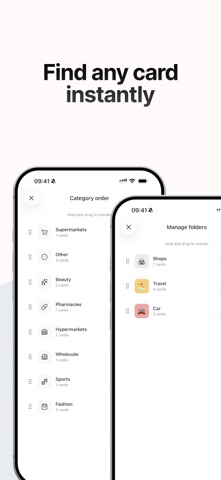
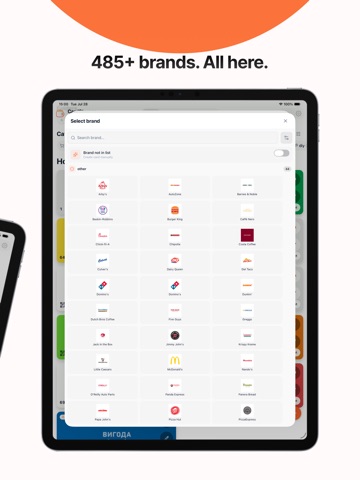
Ditch the bulky wallet — keep all your loyalty cards on your phone. CardStorage stores, organizes, and syncs your loyalty cards across devices. ADD CARDS IN SECONDS - Scan barcode or QR code with your camera - Import from gallery (screenshot or photo) - Enter card number manually 485+ STORE BRANDS INCLUDED Choose a brand and the card design is set up automatically — logos, colors, and category. SHOW AT CHECKOUT — DONE One tap opens the card fullscreen. Screen brightness increases automatically for fast scanning. APPLE WALLET INTEGRATION Add cards to Wallet and open with a double-click of the side button — even faster than from the app. EFFORTLESS ORGANIZATION - Create folders: "Groceries", "Fashion", "Family" - Add frequent cards to favorites - Categories are created automatically FAMILY SHARING Share cards with your household — free for up to 2 people (owner + 1 member). CardStorage Pro unlocks up to 6 total. FREE • Guest mode — no sign-up required, works offline • Add, edit, and organize cards with folders and favorites • Family sharing for up to 2 people (owner + 1 member) • Add up to 5 cards to Apple Wallet (iPhone) CARDSTORAGE PRO • Family sharing for up to 6 people total • Unlimited Apple Wallet passes • Cloud sync across devices • Priority support YOUR DATA Use the app as a guest — no sign-up required, works offline. Create an optional account to enable cloud sync, family sharing, and Apple Wallet. Account data is handled per our Privacy Policy. Download CardStorage and lighten your wallet today! Terms of Use: https://cardstorage.app/terms Privacy Policy: https://cardstorage.app/privacy
Latest release
What’s New
• Swipe through onboarding and select all shopping countries in one tap • Fresh onboarding visuals for scanning and brand recognition • New Restaurants category and more store brands • Notes from our team on your brand requests • More reliable card deletion, sync, and Pro purchase restore • Stability and polish across Home, Wallet, and Paywall
Audience growth
Ratings growth
Baseline captured. Growth appears after the crawler observes a changed rating count.
Momentum comes from crawler snapshots for the tracked storefront. “Viral growth signal” means unusually fast recent rating gains; it is an indicator, not download data.
Price tracking
Price intelligence
First snapshot captured. The trend line starts after the next crawler price observation.
- First observed Sep 17, 2026 · 4:02 AM Free
Screenshots