About this app
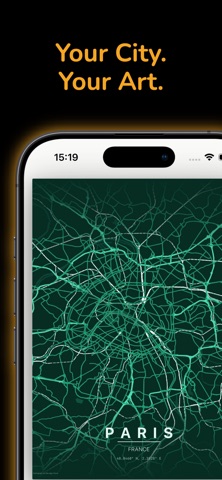
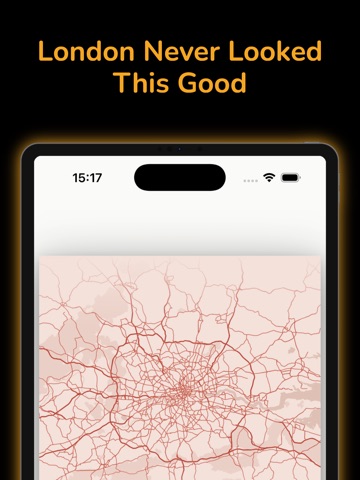
Turn any place in the world into a stunning wall poster — powered by real OpenStreetMap data. Cartogram continues to deliver the same beautiful map poster creation experience, now with a fresh identity and new features. Cartogram lets you create beautifully styled map posters of your favorite cities, neighborhoods, and landmarks. Whether it's your hometown, a place you traveled to, or a gift for someone special — design a print-ready poster in seconds. EXPLORE ANY LOCATION Search for any city, neighborhood, or point of interest by name. Or drop a pin anywhere on the globe using coordinates. The entire world is your canvas. CURATED THEMES Choose from dozens of professionally designed color themes — from minimal black-and-white to vibrant, colorful styles. Each theme transforms the same map data into a completely different mood. DETAILED MAP LAYERS Fine-tune your poster by toggling roads, water bodies, parks, and building footprints. Adjust layer visibility to get exactly the look you want. CUSTOM TYPOGRAPHY Add city and country labels with full font control. Pick from a curated selection of typefaces to match your poster's style. MULTIPLE LAYOUTS Select from various poster aspect ratios and sizes — portrait, landscape, and square — optimized for common print formats. HIGH-RESOLUTION EXPORT Save your poster as a high-resolution PNG or PDF, ready for professional printing. Pro users enjoy up to 450 DPI for gallery-quality output. Map data © OpenStreetMap contributors. Tiles by OpenMapTiles via OpenFreeMap. Rendered with MapLibre.
Latest release
What’s New
Search by coordinates Type a position straight into the search bar and the poster centres exactly there — decimal (48.8566, 2.3522), hemispheres (48.8566° N, 2.3522° E) or full degrees-minutes-seconds (48°51'24"N 2°21'8"E). City search works exactly as before. Fixes • On iPad the theme picker was missing entirely — it is now always visible below the poster, just as on iPhone. • The opacity slider in the custom colour editor had no effect on map colours, so it has been removed — what you pick is what you get. • Custom colours now match your chosen shade exactly, with no rounding drift.
Audience growth
Ratings growth
Baseline captured. Growth appears after the crawler observes a changed rating count.
Momentum comes from crawler snapshots for the tracked storefront. “Viral growth signal” means unusually fast recent rating gains; it is an indicator, not download data.
Price tracking
Price intelligence
- First observed Sep 7, 2026 · 7:37 PM Free
Screenshots