About this app
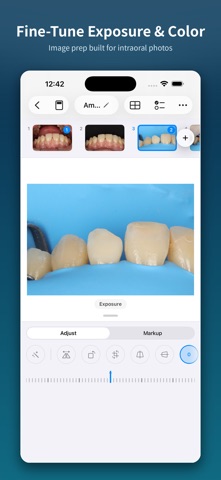
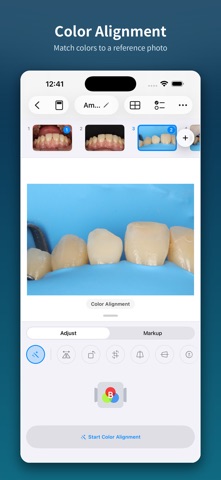
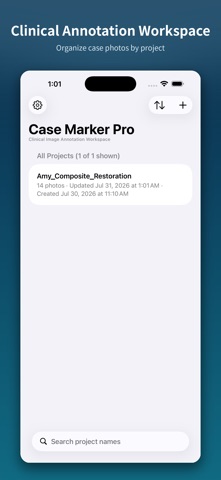
Case Marker Pro is a workspace for organizing and annotating dental clinical photos and case media. Create projects, import photos and videos from Photos, Camera, Files, drag and drop, or the system share menu, then refine each image with rotation, leveling, crop, perspective, brightness, contrast, saturation, temperature, clarity, and reference-point white balance controls. Add markers, leader lines, labels, styled text boxes, freehand drawings, and reusable image stamps. Built-in marker types provide neutral workflow defaults—Observation, Pending, and Needs Action—and can be renamed, recolored, reordered, or given custom default text. Key features: - Create, search, duplicate, and manage photo projects - Import photos and videos from multiple system sources - Rotate, flip, level, crop, and correct horizontal or vertical perspective - Adjust brightness, contrast, saturation, temperature, clarity, and white balance - Add markers, text boxes, drawings, stamps, labels, and leader lines - Build multi-image collages with individual framing and caption styles - Batch export JPG files with optional clean copies - Create 16:9 PDF and PowerPoint presentations - Follow batch export progress with Live Activities - Share results or save them to Photos or a chosen Files location Photos, videos, project names, and annotation content are processed on device and are not uploaded to our servers or third parties. Case Marker Pro is a manual organization and annotation tool. It does not provide automated diagnosis, disease detection, treatment recommendations, or medical decision-making. Clinical decisions should be made by qualified professionals based on individual assessment.
Latest release
What’s New
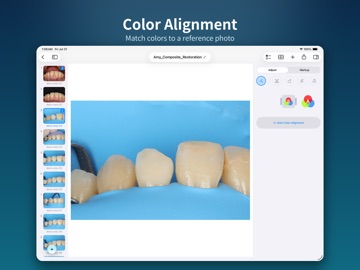
New background and auto-alignment tools are here! Standardize clinical photo backgrounds, align before-and-after images, annotate key details, and export polished case presentations.
Audience growth
Ratings growth
Baseline captured. Growth appears after the crawler observes a changed rating count.
Momentum comes from crawler snapshots for the tracked storefront. “Viral growth signal” means unusually fast recent rating gains; it is an indicator, not download data.
Price tracking
Price intelligence
First snapshot captured. The trend line starts after the next crawler price observation.
- First observed Aug 23, 2026 · 1:23 PM Free
Screenshots