About this app
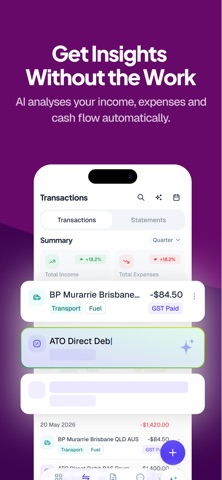
Cashflow AI turns your bank statements into clear, easy-to-understand cash flow reports — automatically. Simply import your bank statements and let AI do the work. Cashflow AI identifies income and expenses, categorises transactions, and gives you a clear picture of where your money is coming from and where it’s going. No spreadsheets. No manual bookkeeping. No complicated setup. KEY FEATURES • AI-Powered Bank Statement Import Import your bank statements and let AI automatically extract and organise your transactions. • Automatic Income & Expense Tracking Cashflow AI identifies money coming in and going out, helping you understand your cash flow at a glance. • Smart Transaction Categorisation AI automatically categorises transactions, saving you hours of manual data entry. • Clear Cash Flow Reports See your income, expenses and net cash flow in simple, easy-to-read reports. • Understand Where Your Money Goes Quickly identify spending patterns and see which categories are costing your business the most. • Track Cash Flow Over Time Review your financial activity across different periods and spot changes in your business cash flow. • Export Your Data Export your financial data when you need to analyse it further or share it with others. FROM BANK STATEMENTS TO CASH FLOW INSIGHTS Traditional bookkeeping can take hours of manual data entry. Cashflow AI makes it simple: 1. Import your bank statement 2. Let AI analyse your transactions 3. Review your cash flow report That’s it. BUILT FOR SMALL BUSINESSES Cashflow AI is ideal for small business owners, freelancers, contractors and self-employed professionals who want to understand their business finances without spending hours maintaining spreadsheets. Spend less time entering numbers and more time running your business. Turn your bank statements into useful cash flow insights with Cashflow AI. [ Upgrade to subscription version ] Subscription version offers cloud sync and back up feature so that you can save all the info in our highly secured cloud services and share the same data in multiple iOS devices such as iPhone and iPad. Upgrading to subscription version requires auto-renewal subscription. Payment will be charged to your Apple ID account at the confirmation of purchase. The subscription automatically renews unless it is canceled at least 24 hours before the end of the current period. Your account will be charged for renewal within 24 hours prior to the end of the current period. You can manage and cancel your subscriptions by going to your App Store account settings after purchase. Links to Your Privacy Policy and Terms of Use: http://www.btoj.com.au/privacy.html http://www.btoj.com.au/terms.html Please feel free to contact us for anything.
Latest release
What’s New
Performance & efficiency improved
Audience growth
Ratings growth
Baseline captured. Growth appears after the crawler observes a changed rating count.
Momentum comes from crawler snapshots for the tracked storefront. “Viral growth signal” means unusually fast recent rating gains; it is an indicator, not download data.
Price tracking
Price intelligence
First snapshot captured. The trend line starts after the next crawler price observation.
- First observed Oct 4, 2026 · 8:53 PM Free
Screenshots