About this app
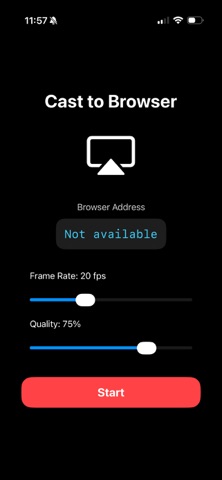
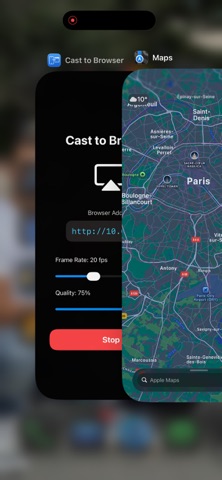
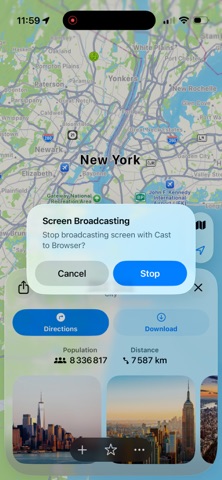
Cast to Browser lets you mirror your iPhone or iPad screen directly to any web browser on the same Wi‑Fi network. Open a link on your laptop, desktop, TV box, or another phone, and instantly view your screen without installing a receiver app. If your car’s infotainment system includes a web browser, you can also use it to mirror your screen in the car—ideal for navigation, trip planning, or passenger viewing (availability and performance vary by car system). Use it for presentations, demos, sharing photos and videos with friends, or showing an app on a bigger screen while staying in control on your device. Designed for local streaming, Cast to Browser keeps things simple: connect, start, and share. KEY FEATURES • Mirror your screen to any modern browser (Chrome, Safari, Edge, Firefox, In-Car Browser) • Works on your local network (Wi‑Fi/LAN) for fast, low-latency streaming • Great for meetings, classrooms, app demos, and home use • No receiver installation required—just open the browser page • Supports Personal Hotspot scenarios (when devices are connected to your hotspot) HOW IT WORKS • Make sure your devices are on the same network (Wi‑Fi or hotspot) • Start screen mirroring and share instantly • Open the provided URL in a browser on the receiving device Note: Streaming performance depends on your network quality and device capabilities.
Latest release
What’s New
Thanks for using Cast to Browser! • Optimized for iOS 26.3 and iPadOS 26.3
Audience growth
Ratings growth
Baseline captured. Growth appears after the crawler observes a changed rating count.
Momentum comes from crawler snapshots for the tracked storefront. “Viral growth signal” means unusually fast recent rating gains; it is an indicator, not download data.
Price tracking
Price intelligence
First snapshot captured. The trend line starts after the next crawler price observation.
- First observed Sep 12, 2026 · 11:24 PM Free
Screenshots