About this app
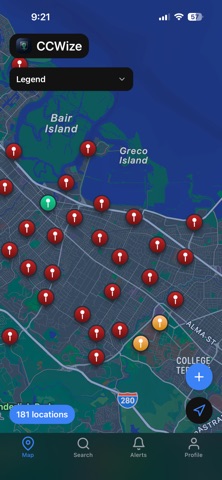
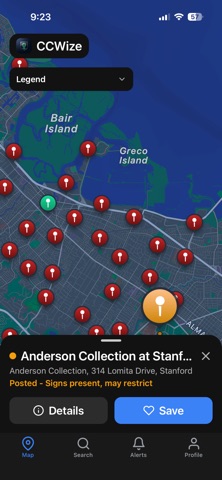
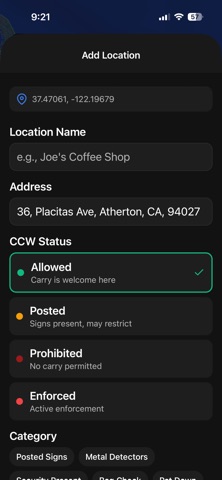
CCWize is a community-powered awareness app designed to help responsible firearm owners understand posted firearm signage at real-world locations. By combining user-submitted reports, photos, and location data, CCWize provides visibility into whether a business or venue is posted as allowing or prohibiting firearms. CCWize is commonly used to plan ahead and navigate unfamiliar places—such as when traveling, visiting new areas, or preparing for upcoming trips—by viewing community-reported signage before arriving at a location. CCWize does not provide legal advice, interpret laws, or offer enforcement guidance. Instead, it gives users access to crowd-sourced informational reports so they can make informed personal decisions before entering a location. Key features include: • Community-submitted reports of posted firearm signage • Location-based map view for nearby awareness • Photo uploads to support and update reports • Clear status labels (Allowed, Prohibited, or Unknown) • Community feedback to improve accuracy over time Firearm laws and signage requirements vary by jurisdiction and may change at any time. Users are responsible for verifying posted signage and local regulations. CCWize exists to increase awareness—not to provide legal guidance or guarantees. Terms of Use (EULA): https://www.apple.com/legal/internet-services/itunes/dev/stdeula/
Latest release
What’s New
Version 1.2.2 Bug Fixes: - Smart Search now returns relevant results. Searches like "prohibited locations near me" previously came back empty — they now correctly surface locations flagged as prohibited in the database. - Smart Search no longer shows opposite-intent results. Queries asking for restricted locations were sometimes returning businesses labelled "Likely Allowed." That mismatch is resolved. - Smart Search falls back gracefully. If the AI-powered search can't find a match, it now falls back to the same results Basic Search would return, so you're never left with an empty screen.
Audience growth
Ratings growth
Baseline captured. Growth appears after the crawler observes a changed rating count.
Momentum comes from crawler snapshots for the tracked storefront. “Viral growth signal” means unusually fast recent rating gains; it is an indicator, not download data.
Price tracking
Price intelligence
First snapshot captured. The trend line starts after the next crawler price observation.
- First observed Sep 7, 2026 · 1:31 AM Free
Screenshots