About this app
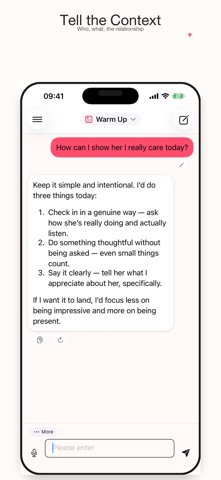
You read the message five times and still do not know what to say. ChatAdvisor reads it once and hands you the reply. ChatAdvisor is your AI conversation assistant - for every chat that deserves the right words. A REPLY IN SECONDS Describe the situation or share what you received, and ChatAdvisor gives you a reply you can send right away. No more drafting, deleting, and staring at the screen. MADE FOR EVERY SCENE Work messages, dating chats, family group threads, friends, customer service - ChatAdvisor adjusts its tone to fit. The same situation gets a professional, warm, or witty version depending on what you need. FROM A SCREENSHOT Got a confusing message? Share a screenshot and ChatAdvisor reads it for you, then suggests how to respond - so you reply with confidence instead of guessing. THREE WAYS TO SAY IT Never just one answer. ChatAdvisor offers a few replies in different tones so you pick the one that sounds like you - then tweak and send. PRIVATE BY DESIGN Your conversations are personal. ChatAdvisor keeps your chats private and secure - what you discuss stays yours. ALSO INSIDE - Streaming replies that appear as fast as you can read - Conversation history so you can revisit past advice - Sign in with Apple and other quick, secure options Free users get daily replies to try it out. Upgrade for unlimited conversations and faster help. ChatAdvisor uses AI to suggest replies - always review before you send. Subscriptions auto-renew unless cancelled; manage anytime in App Store settings.
Latest release
What’s New
Thanks for using ChatAdvisor. Highlights in this release: - Refreshed sign-in and registration flow with cleaner Scandinavian visual design - Smoother streaming replies and a refreshed top navigation bar - Stronger privacy with an updated privacy manifest - Tighter network security and a stricter domain allowlist - More reliable account sign-in and faster response handling - Fixed several interaction issues around the new-chat button - Fixed a localization issue where preset chat scenarios showed raw text on the detail screen - Expanded automated UI tests for a steadier overall experience Have feedback? We'd love to hear from you - reach out through Settings -> Support.
Audience growth
Ratings growth
Baseline captured. Growth appears after the crawler observes a changed rating count.
Momentum comes from crawler snapshots for the tracked storefront. “Viral growth signal” means unusually fast recent rating gains; it is an indicator, not download data.
Price tracking
Price intelligence
First snapshot captured. The trend line starts after the next crawler price observation.
- First observed Aug 19, 2026 · 7:45 AM Free
Screenshots