About this app
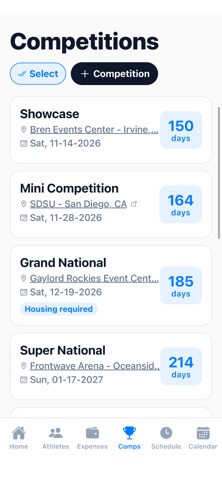
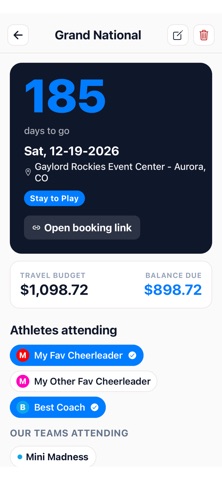
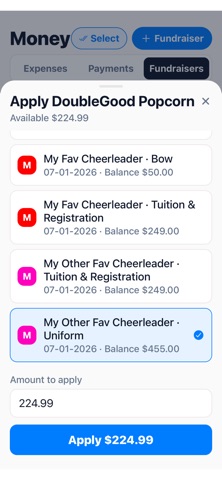
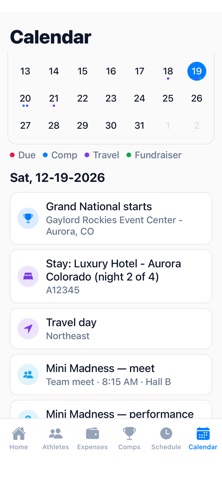
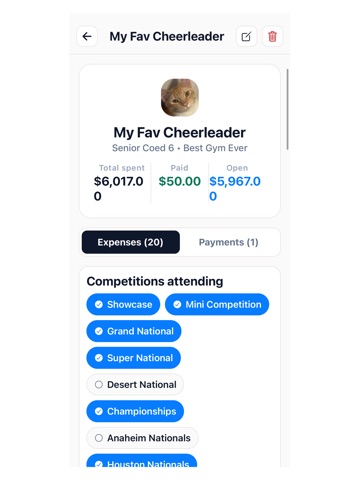
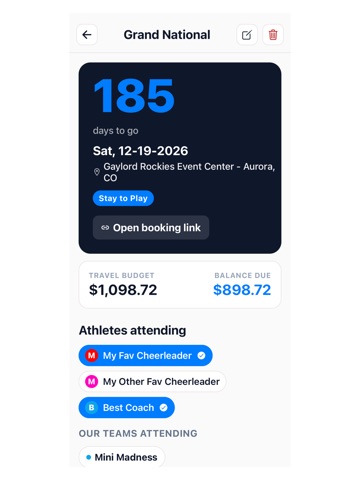
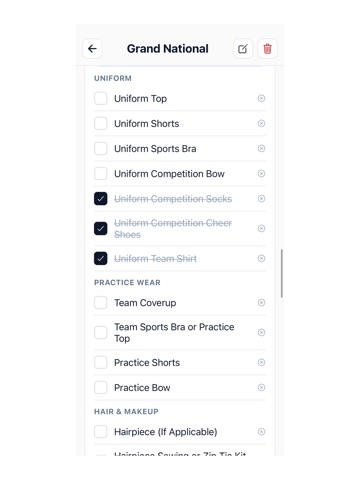
CheerPlanner — Cheer Life, Finally Organized CheerPlanner 2.0 is designed to take the stress out of being a cheer parent. We know the season is a whirlwind of schedules, competition travel, and endless requests for information. We’ve built the ultimate tool to give you back your time and keep you perfectly in sync with your athlete’s squad. Why Cheer Parents Love Us: *At-a-Glance Dashboard: See exactly where your athlete needs to be and when, without digging through emails or text threads. *One-Tap Team Forms: Handle competition meal orders, carpool sign-ups, and size requests directly in the app. No more external links or lost forms. *Always in the Loop: Get instant updates from coaches and real-time tallies for team orders so you're never left guessing. *Your Voice Matters: Use our Community Roadmap to suggest and upvote the features that would make your life even easier. **Bonus Features for Coaches, Team Reps/Managers, & Personnel: CheerPlanner also includes a powerful Team Hub for coaches to manage rosters, track athlete data, and coordinate the entire squad from a single dashboard. Download CheerPlanner and make this the most organized season yet. — Some features require a subscription. Text messaging is optional and used only to send the reminders you request; reply STOP to opt out at any time. — Terms of Use (EULA): https://www.apple.com/legal/internet-services/itunes/dev/stdeula/
Latest release
What’s New
Team Hub gets even more powerful! • Shared To-Do lists — for your team, and attached to specific competitions and events • New Attendance tool — check off who's present at practices and events, with quick "mark all present" • Reorder your sign-up sheets and link them right to a schedule event • Richer roster profiles — preferred name, allergies, medical notes, host-bonding opt-in, plus your own custom fields • Enter uniform/apparel sizes directly on a roster profile • The parent fill-in link now collects everything — contact info, team, allergies, medical, host opt-in and sizes — in one place • See at a glance when parents submit their info with new-submission badges • Hide specific sheets from individual staff members for added privacy Plus bug fixes and performance improvements, throughout.
Audience growth
Ratings growth
Baseline captured. Growth appears after the crawler observes a changed rating count.
Momentum comes from crawler snapshots for the tracked storefront. “Viral growth signal” means unusually fast recent rating gains; it is an indicator, not download data.
Price tracking
Price intelligence
First snapshot captured. The trend line starts after the next crawler price observation.
- First observed Aug 19, 2026 · 9:05 AM Free
Screenshots