About this app
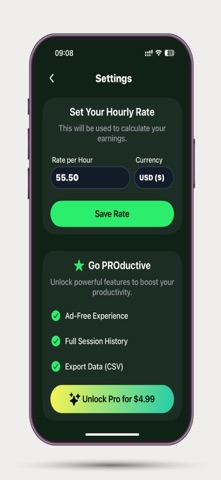
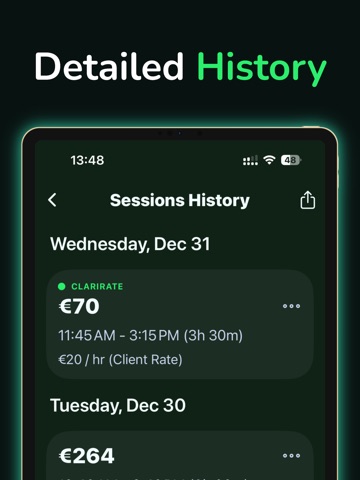
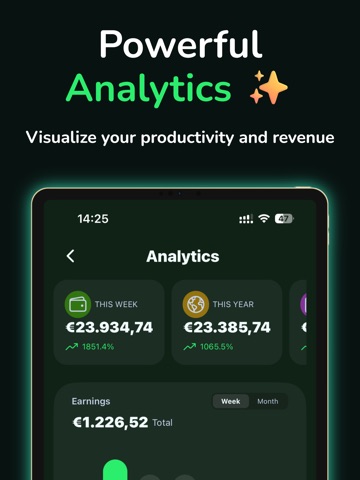
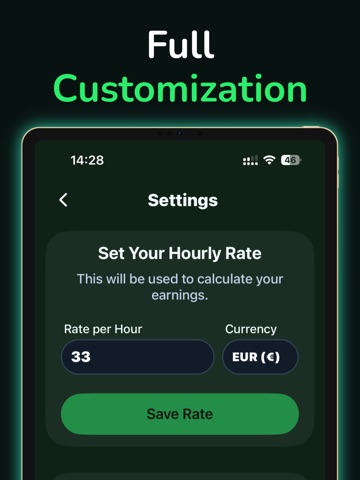
Track your time. Manage clients. Get paid. ClariRate is the ultimate productivity tool designed for freelancers, contractors, and hourly workers. Stop guessing how much you have earned today — manage your clients, track your hours, and generate professional invoices in seconds. Whether you are a designer, developer, consultant, or tutor, ClariRate helps you handle the business side of freelancing so you can focus on the work. KEY FEATURES: - Client Management Work with multiple clients? Create detailed profiles for each client with their own custom hourly rate and color coding. Assign sessions to clients to keep your earnings organized. - Professional PDF Invoices Turn your tracked time into money. Generate clean, detailed PDF invoices directly from your session history. Select a date range, review the total, and share it with your client instantly. - Precision Time Tracking Start and stop your work sessions with a single tap. The clean, distraction-free interface (now with satisfying animations) keeps you focused on what matters. - Advanced Analytics & Heatmaps Visualize your productivity. View your "Consistency Heatmap" to track work streaks, monitor your "Top Client" performance, and see your income grow in real-time. - Secure Backup and Restore Your time is valuable, and so is your data. Backup your entire history to a JSON file and restore it easily if you switch devices. - CSV Export Need raw data? Export your session history to a CSV file compatible with Excel, Numbers, and Google Sheets. GO PRODUCTIVE (PREMIUM): Upgrade to ClariRate PRO to unlock the full potential of your workflow: • Unlimited Invoicing & History: Store and access every session you’ve ever recorded without limits. • Unlimited CSV Export: Generate reports for your entire work history. • Ad-Free Experience: Enjoy a completely uninterrupted workspace. Download ClariRate today and master your freelance workflow!
Latest release
What’s New
What’s New in Version 1.6: We’ve made ClariRate even more powerful and personal! Dynamic Island & Live Activities Track your active sessions without opening the app. Your timer is now visible right on your Lock Screen and in the Dynamic Island (for supported devices). Stay focused and never lose track of time. Custom Themes Personalize your experience! You can now choose from a variety of color themes in the settings to match your style or mood. This update also includes performance improvements and minor bug fixes.
Audience growth
Ratings growth
Baseline captured. Growth appears after the crawler observes a changed rating count.
Momentum comes from crawler snapshots for the tracked storefront. “Viral growth signal” means unusually fast recent rating gains; it is an indicator, not download data.
Price tracking
Price intelligence
First snapshot captured. The trend line starts after the next crawler price observation.
- First observed Sep 4, 2026 · 6:08 AM Free
Screenshots