About this app
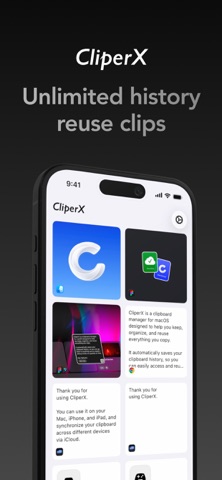
CliperX is a clipboard manager designed for the Apple ecosystem, helping you save, organize, and reuse important content across your devices. It brings your clipboard history, snippets, and frequently used content into one clear place, so you can quickly find what you need and use it again when it matters. Key features: • Clipboard history Keep copied, shared, or saved content available for later use • Cross-device access Use iCloud to keep your clipboard data available across your Apple devices • Snippets and reuse Save frequently used content and copy it again whenever you need • Search and filters Find previous items by keyword, content type, favorites, marks, or organization state • Structured organization Group, favorite, mark, delete, and manage clipboard items in a flexible way • Fast reuse workflows Quickly copy saved items again, and paste selected content into the active app on supported platforms when explicitly triggered • Privacy-focused design Control what gets saved, exclude sensitive apps on supported platforms, and hide content during screen sharing when needed • Import and export Move or back up your data whenever you need CliperX focuses on speed, clarity, and control, making everyday copy and paste more efficient and reliable across the Apple ecosystem. Permissions: On supported platforms, CliperX may request Accessibility permission to allow users to paste selected clipboard content into the active app when explicitly triggered. This is used only for user-initiated actions and not for background control or monitoring. Some features require iCloud to be enabled. Privacy Policy: https://cliperxapp.com/privacy Terms of Use (EULA): https://cliperxapp.com/terms
Latest release
What’s New
Officially launched CliperX Pro benefits. If you previously purchased "Unlock iOS Extension," you will continue to enjoy permanent Pro benefits. New Features: - Notes Feature: You can now add notes to your collections to help you better identify them later. Optimizations: - Improved iCloud sync performance. - Optimized some UI styles. - Adjusted the display effect for image-type collections. - Fixed other known issues.
Audience growth
Ratings growth
Baseline captured. Growth appears after the crawler observes a changed rating count.
Momentum comes from crawler snapshots for the tracked storefront. “Viral growth signal” means unusually fast recent rating gains; it is an indicator, not download data.
Price tracking
Price intelligence
First snapshot captured. The trend line starts after the next crawler price observation.
- First observed Sep 4, 2026 · 12:41 AM Free
Screenshots