About this app
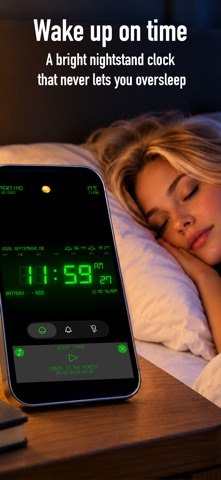
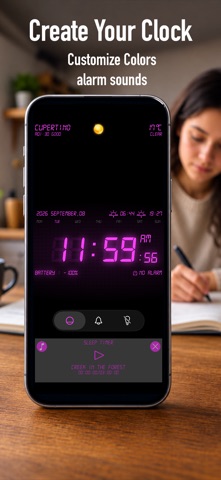
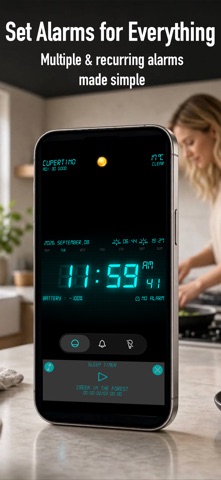
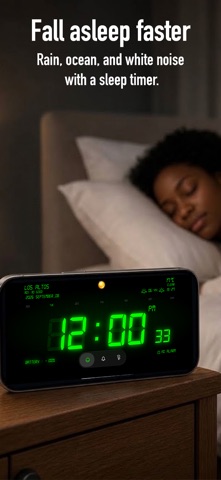
Welcome to Clock Alarm, the ultimate iOS app designed to revolutionize your mornings and transform the way you wake up. With a range of innovative features and customizable options, Clock Alarm ensures you start your day on the right note, feeling refreshed and ready to conquer the world. Key Features: 1. Alarm with a Variety of Sounds: Clock Alarm offers a wide selection of alarm sounds to suit your preferences. Whether you prefer gentle melodies, nature-inspired tunes, or energetic beats, there's a sound to match every mood. Wake up to your favorite music, a soothing melody, or even the sound of chirping birds – the choice is yours! 2. White Noise Sleep Sounds with Timer: Trouble falling asleep? Clock Alarm has you covered. Enjoy a peaceful night's sleep with a collection of high-quality white noise sleep sounds, such as rain, waves, and forest ambience. Set a timer to automatically turn off the sounds after a certain duration, allowing you to relax and drift off into a restful sleep. 3. Customizable Digital Screen: Personalize your wake-up experience with Clock Alarm's customizable digital screen. Choose from a variety of visually appealing colors and font styles to create a display that resonates with your taste and complements your device's aesthetics. Whether you prefer a sleek minimalistic look or a vibrant burst of color, the app lets you create a unique and visually pleasing clock face. 4. Smart Alarm and Snooze Function: Never oversleep again with Clock Alarm's smart alarm feature. The app analyzes your sleep patterns and ensures that you wake up during a light sleep phase, leaving you feeling refreshed and energized. Activate the snooze function for those mornings when you need a few extra moments of rest without worrying about oversleeping. 5. Multiple Alarms and Recurring Alarms: Clock Alarm allows you to set multiple alarms for different occasions, ensuring you never miss an important event or appointment. Whether it's a weekday wake-up call or a reminder for an important meeting, the app lets you schedule alarms with ease. You can also set recurring alarms, saving you the hassle of manually setting them every day. 6. Bedtime Reminder: Maintain a consistent sleep schedule with Clock Alarm's bedtime reminder feature. Set a reminder to receive a notification when it's time to wind down and prepare for bed. Establishing a regular sleep routine can significantly improve your overall sleep quality and well-being. Clock Alarm is the perfect companion for anyone seeking to enhance their sleep and wake-up experience. Download the app now and start enjoying peaceful nights and energized mornings. Wake up refreshed, rejuvenated, and ready to embrace each day with Clock Alarm – the ultimate iOS alarm app. Note: Clock Alarm requires iOS 15.4 or later. Some features may vary depending on your device's compatibility and operating system version.
Latest release
What’s New
Fixed crash bugs
Audience growth
Ratings growth
Momentum comes from crawler snapshots for the tracked storefront. “Viral growth signal” means unusually fast recent rating gains; it is an indicator, not download data.
Price tracking
Price intelligence
- First observed Aug 25, 2026 · 6:43 PM Free
Screenshots