About this app
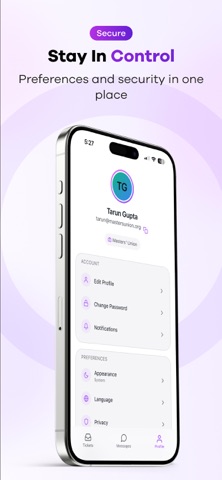
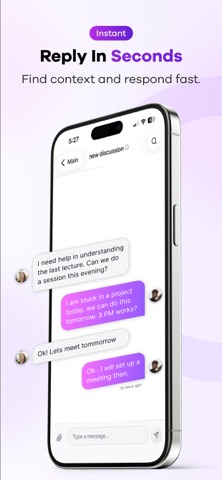
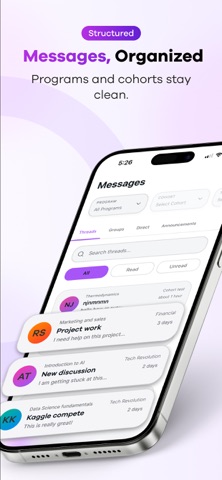
CoachLMS Admin Mobile App - Your Complete Administrative Solution Transform how you manage your educational institution with the CoachLMS Admin Mobile App. Built with a premium design featuring glassmorphism aesthetics, this powerful mobile solution puts comprehensive administrative tools right at your fingertips. COMPREHENSIVE TICKET MANAGEMENT Handle support requests efficiently with our advanced ticket management system: - View all tickets in an organized, paginated list with real-time updates - Filter by status (Open, In Progress, Resolved, Pending, Closed), type, assignee, or date range - Search across ticket titles, descriptions, and content with smart debounced search - Assign tickets to team members or yourself with intuitive user selection - Update ticket status with visual color-coded status indicators - Track complete ticket history with chronological activity timeline - View and participate in ticket conversations with threaded messages - Support for attachments and rich text content - Quick actions with swipe gestures for assign and close operations - Unread indicators and badge notifications for immediate attention FOUR-TAB MESSAGING SYSTEM Stay connected through our organized four-tab messaging system: THREADS TAB - Handle course-related questions, doubts, and academic discussions. View all doubt discussion threads organized by course. Filter by cohort, program, term, section, or specific course. Access complete thread conversations with message history and search functionality. COURSE GROUPS TAB - Manage course-specific group conversations. View messages organized by course, participate in course-specific group discussions, and access complete conversation history for each group with real-time updates. DIRECT MESSAGES TAB - Private one-on-one conversations. Secure private messaging with individual users, view all your direct message conversations, track unread messages with badge indicators, and access user profiles from chat interface. ANNOUNCEMENTS TAB - Important institutional communications. View all institutional announcements, identify priority announcements, track read/unread status, and filter by date, priority, or category. All messaging tabs feature real-time updates, unified search, unread badges, smooth navigation with haptic feedback, pull-to-refresh, infinite scroll, and support for file attachments and user mentions. SECURE AUTHENTICATION & PROFILE Secure email and password authentication with JWT token management, automatic token refresh and session persistence, password reset functionality with email verification, QR code web login for quick session access, complete profile management with avatar support, organization information and role-based access control, and customizable notification preferences and app settings. REAL-TIME NOTIFICATIONS Stay informed with instant push notifications for ticket updates, status changes, and assignments; new messages in threads, groups, and direct chats; important announcements and institutional updates; mention notifications when you're referenced; badge counts on app icon for unread items; and customizable notification settings and quiet hours. PREMIUM DESIGN & USER EXPERIENCE Experience a beautifully crafted interface with premium glassmorphism design featuring translucent cards, dark theme with deep charcoal background and vibrant accents, smooth animations and micro-interactions, intuitive bottom tab navigation for main features, haptic feedback for enhanced interaction, elegant skeleton loaders and loading states, and user-friendly error handling and empty states. POWERFUL TECHNICAL FEATURES Real-time updates via Socket.io integration, optimized performance with efficient list rendering, React Query for intelligent data caching, Firebase Cloud Messaging for push notifications, Sentry integration for error tracking, file upload support via Filestack integration, and offline support and data persistence.
Latest release
What’s New
What's new: • Clubs, Events & Polls hub: full event editor, approve/reject, CSV poll results, shareable links. • Live session attendance QR with real-time check-ins. • AI Headshots, plus one Photos screen for selfies, headshots, and event photos. • One-tap sign-in to Orbit and Cowork. • Redesigned concern replies: canned templates, AI summaries, internal notes. • Fresh gold accent theme. • Fixes: mobile events reach students, pending posts load for all admins.
Audience growth
Ratings growth
Baseline captured. Growth appears after the crawler observes a changed rating count.
Momentum comes from crawler snapshots for the tracked storefront. “Viral growth signal” means unusually fast recent rating gains; it is an indicator, not download data.
Price tracking
Price intelligence
First snapshot captured. The trend line starts after the next crawler price observation.
- First observed Aug 19, 2026 · 7:38 PM Free
Screenshots