About this app
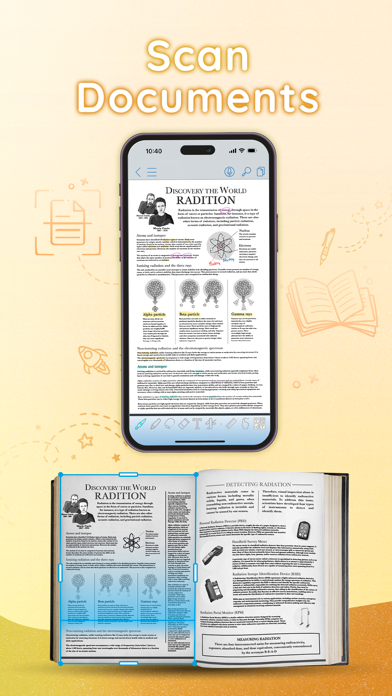
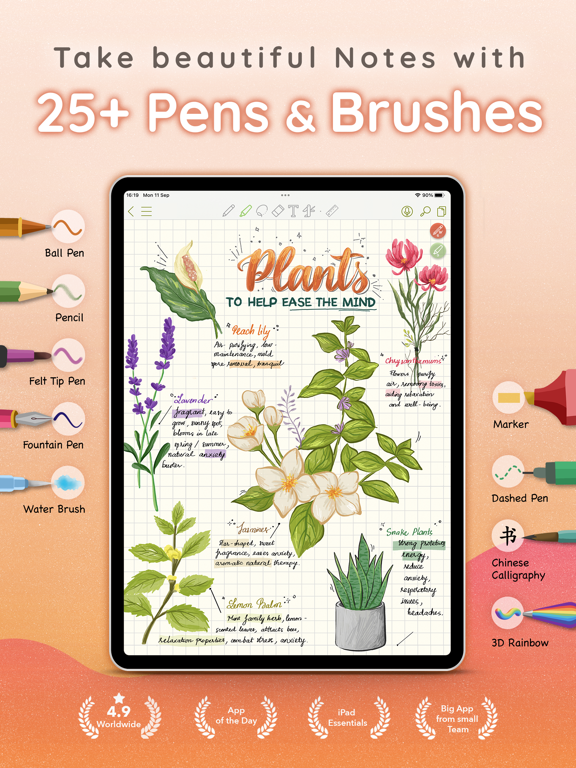
CollaNote: Powerful note-taking app packed with a wide range of tools. Note-taking, PDF markup, digital planning, and flashcards - all in one place! BUILT FOR APPLE PENCIL WITH AN ENHANCED WRITING EXPERIENCE: - 25+ different pens and brushes to transform your notes into artwork. - Handwriting stabilizer for beautiful, smooth writing. - Enjoy a calming ASMR note-taking experience. - Infinite Arc Menu available for both Apple Pencil Pro and Apple Pencil Gen 2. IMPORT, MARK-UP, AND EXPORT PDF: - Import and mark up PDFs, PPTs, DOCs, and Images effortlessly. - In-built scanner to digitize your physical documents. - Export notes to PDF and share with ease. POWERFUL TOOLS: - Translation tool to learn new languages, supporting over 90 languages. - Create flashcards with audio and images, or use our extensive library. - Beautiful Planners for tracking tasks, deadlines, and schedules. - Record and sync audio directly within your notes. UNLIMITED PAPERS AND NOTEBOOKS: - Unlimited paper with versatile grids/lines and 150+ colorful templates. - Keep all your notes organized and easily accessible from anywhere. - Automatically back up to iCloud and sync across iOS devices. - Smart Dark Mode for optimal visibility in any lighting. - Password protection for ultimate note security. AI POWERED: - Built-in AI Calculator for complex calculations. - AI drawing tools for perfect shapes. - Get intelligent writing and note-taking assistance. - Generate unique stickers with AI. ENGAGING CREATIVE COMMUNITY: - Join the Public Room to connect with creators worldwide. - Real-time collaboration function (unlimited participants). CollaNote's journey began with a student at Hamburg University, who now leads a dedicated team of individuals devoted to delivering the finest digital paper experience. We extend our heartfelt gratitude to our users for their unwavering support since the early days of CollaNote. Download CollaNote now to discover even more surprises!
Latest release
What’s New
CollaNote 5.0 — Your notes, a whole new home The biggest CollaNote update ever — just in time for the new semester. MEET YOUR NEW HOME SCREEN Open CollaNote and everything you need is right in front of you. A gorgeous glass design, your folders as cards, and a sidebar that takes you anywhere in one tap. - Grid or list, sorted your way. - Search your whole library. Type a name and find any note, in any folder, instantly. - Select many notes at once, drag and drop notes into folders — no menus, no digging. - Star a note with one tap. Favourites, Recents, History, and Trash are always one tap away. - Looks great on every screen — iPad, Slide Over, Stage Manager, Mac, and iPhone — in your favourite color. - Dark Mode, storage location, and Settings live right at the bottom of the sidebar. RECORDING AND TIMER ON YOUR LOCK SCREEN Lock your iPad and keep going. See which note is recording and stop it right from the Lock Screen. The timer, stopwatch, and Pomodoro count down there too, so you stay in focus without unlocking. HELP EACH OTHER LEARN: COMMUNITY NOTES Explore the community map and see what students around you are studying — from classmates across the street to learners around the world. Have notes worth passing on? Share them with the CollaNote Team. Our staff reviews and publishes the ones that will genuinely help other students. YOUR PERSONAL MATH TUTOR: STEP-BY-STEP SOLVING Write down a math problem, and the handwriting calculator doesn't just give you the answer — it walks you through the solution, step by step. TRAIN FOR TEST DAY: EXAM CALCULATOR MODE The new Emulator mode turns CollaNote into the classic calculator you're allowed to bring into the exam room. Practice all semester with the exact same buttons you'll have on test day. AI IMAGES ON MORE DEVICES Squeeze your Apple Pencil or lasso a sketch to turn it into an AI image. On iPads where instant generation isn't available, CollaNote now opens Apple's Image Playground with your drawing already in it. FASTER, LIGHTER AND MUCH MORE - Big folders and iCloud libraries open 300% faster - Export your note as images to share with friends - Redesigned Export and Print screens - Move and Copy show your whole library as a tree - Version history keeps a note's saved versions, even after the note is gone - Support for iOS 27 with resizable screens - Many bug fixes and stability improvements Good luck this semester — CollaNote has your back!
Audience growth
Ratings growth
Momentum comes from crawler snapshots for the tracked storefront. “Viral growth signal” means unusually fast recent rating gains; it is an indicator, not download data.
Price tracking
Price intelligence
- First observed Sep 12, 2026 · 11:50 AM Free
Screenshots