About this app
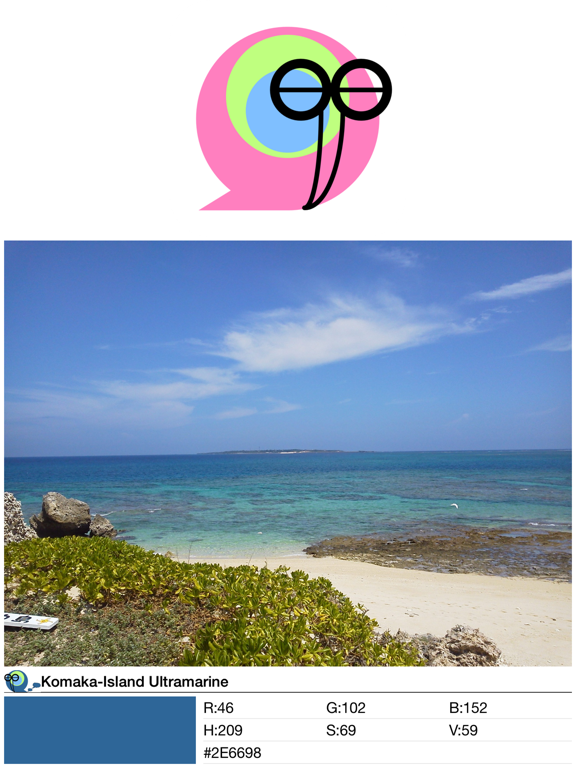
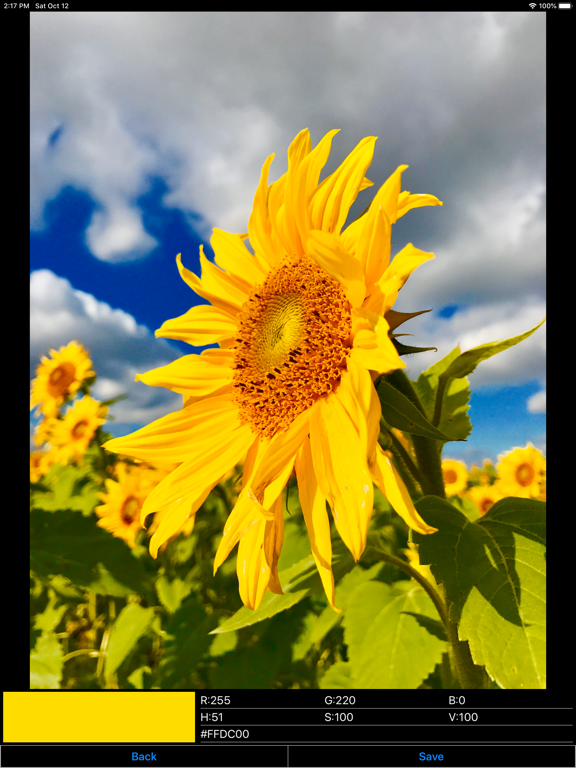
"ColorColl" is the color Picker/Capture App for smartphone and tablet. You will be able to collect and save color with photo by using "ColorColl". Red of Sunset, Blue of Deep Sea, Green of Mountains. The world is full of color. On the other hand, many colors exists close to you. For example, Nail polish color of your favorite, Eye color of a domestic cat. "ColorColl" is an application to get colors from the landscape of such daily and non-daily. You can get your favorite color from Photo or Image and save the color with the Photo by using "ColorColl". By creating Color Card Image, you can share those colors with your friends. Also "ColorColl" is an ideal application to designer. You can show color code of the following three types. RGB, HSV, HTML. You can save the color you find, and you can send the color to home or your business partner immediately, by creating Color Card Image. Let's collect colors! *Advertising will appear in the app, but you can hide Advertising by having you purchase the add-on. ■Main function of App 1.Get color from photo or image and save the color. 2.Save the photo or image that was used to get the color 3.Show color code. RGB, HSV and HTML. 4.Create color card image. 5.Share color card image with your friends through the SNS. ■How to Get Color 1.When you want to start Camera and get color from taken photo. (1)Touch the "Get Color from Camera" Button in Home Screen, and Start Camera. After taking a photo, "Get Color Screen" will be shown. (2)In "Get Color Screen". When you touch the photo, you can get the color of the point where you touch. You can zoom in the photo by "pinch-out", and zoom out by "pinch-in". (3)After you got favorite color, touch "Save" button. (4)After you inputted color name in "Color Name Screen". When you touch the save button, the color will be saved. 2.When you want to select photo from Photo Album and get color from selected photo. (1)Touch the "Get Color from Photo Album" Button in Home Screen, and select Photo. After selecting a photo, "Get Color Screen" will be shown. (2)In "Get Color Screen". When you touch the photo, you can get the color of the point where you touch. You can zoom in the photo by "pinch-out", and zoom out by "pinch-in". (3)After you got favorite color, touch "Save" button. (4)After you inputted color name in "Color Name Screen". When you touch the save button, the color will be saved.
Latest release
What’s New
・Supported iOS16.
Audience growth
Ratings growth
Baseline captured. Growth appears after the crawler observes a changed rating count.
Momentum comes from crawler snapshots for the tracked storefront. “Viral growth signal” means unusually fast recent rating gains; it is an indicator, not download data.
Price tracking
Price intelligence
First snapshot captured. The trend line starts after the next crawler price observation.
- First observed Aug 12, 2026 · 5:09 PM Free
Screenshots