About this app
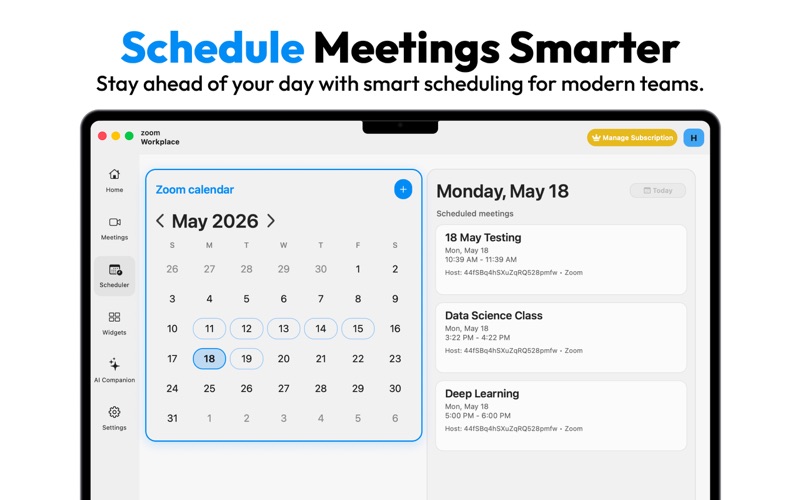
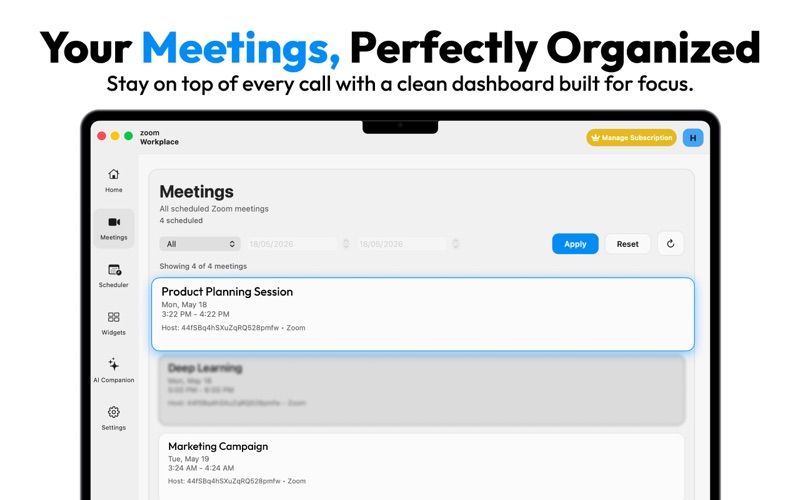
Companion AI for Zoom is your complete meeting hub on macOS—built for people who live in Zoom and want one calm place to plan, join, and follow up without juggling browser tabs. Sign in with your Zoom account to see scheduled meetings on Home and Meetings, open a calendar-style Scheduler to plan your week, and start or join sessions from the menu bar or inside the app. Join by meeting ID or link, schedule new meetings with timezone-aware details, and stay in flow with embedded Zoom meetings that use your Mac’s camera and microphone. DESKTOP WIDGETS Pin floating widgets on your desktop for your next meetings and quick actions—always visible while you work. SMART REMINDERS Never miss a call. Turn on notifications for 1 day, 12 hours, or 1 hour before meetings (macOS notification permission required). AI COMPANION When you choose to record, meeting audio is saved locally on your Mac in the app’s secure sandbox—not in the cloud by default. After a meeting you can: • Transcribe on your device with Apple Speech Recognition • Generate structured meeting notes (summary, decisions, action items) when you request them • Review Zoom AI Companion meeting summaries from your account when available through Zoom’s API Optional Google sign-in can support scheduling workflows tied to your calendar. PREMIUM Unlock the full experience with Premium (weekly, monthly, or yearly subscription, or a one-time lifetime option). Premium includes access to Meetings, Scheduler, meeting reminders, and desktop widgets. Subscriptions renew automatically unless cancelled at least 24 hours before the end of the current period in your Apple ID account settings. A free trial may apply to eligible yearly plans where offered. PRIVACY & PERMISSIONS Most data stays on your Mac. The app may request camera, microphone, screen/system audio capture, speech recognition, and notifications only for features you use. Generating AI notes sends transcript text to OpenAI only when you tap to create notes. See our Privacy Policy for details. Privacy Policy Url: "https://sites.google.com/view/aicompanionforzoom/privacy-policy", Terms Of Service Url: "https://sites.google.com/view/aicompanionforzoom/terms-and-condition" This application is subject to Apple’s Standard End User License Agreement. REQUIREMENTS • macOS 12.4 or later • A Zoom account for meeting list, scheduling, join, and embedded meetings • Internet connection DISCLAIMER Companion AI for Zoom is an independent product and is not affiliated with, endorsed by, or sponsored by Zoom Video Communications, Inc. “Zoom” is a trademark of Zoom Video Communications, Inc.
Latest release
What’s New
Whats new 1.0.1 Login Bug Fix and app optimisation
Audience growth
Ratings growth
Baseline captured. Growth appears after the crawler observes a changed rating count.
Momentum comes from crawler snapshots for the tracked storefront. “Viral growth signal” means unusually fast recent rating gains; it is an indicator, not download data.
Price tracking
Price intelligence
First snapshot captured. The trend line starts after the next crawler price observation.
- First observed Aug 8, 2026 · 11:53 PM Free
Screenshots