About this app
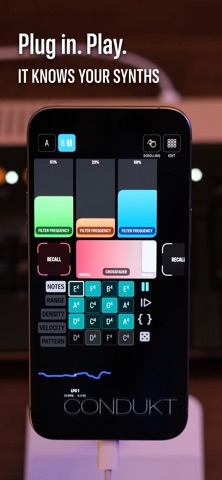
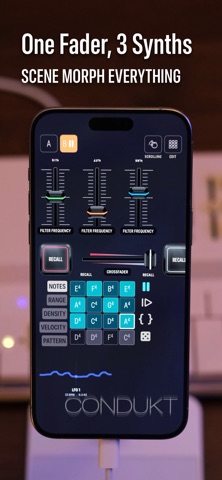
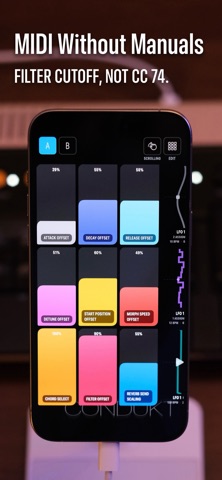
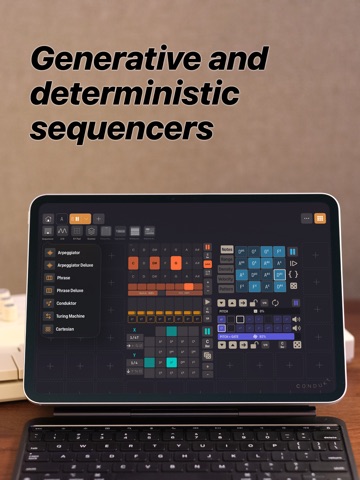
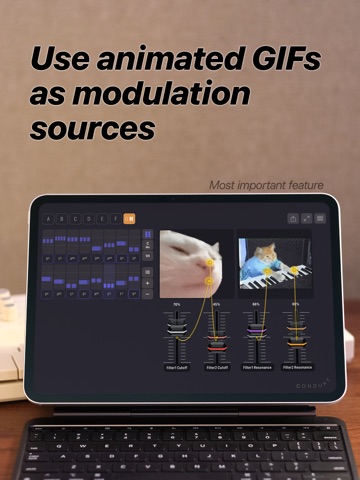
Turn your iPhone, iPad or Mac into a customizable MIDI controller. Plug in your synth, pick parameters by name, and start playing in seconds. Condukt connects to any class-compliant USB MIDI device. No adapters. No manual CC programming. Just plug in and go. ▸ PLUG AND PLAY Connect your synth via USB-C. Condukt recognizes it instantly. Pick parameters from a list, filter cutoff, oscillator pitch, envelope attack, and you're controlling it. No more digging through manuals for CC numbers. ▸ POWERED BY MIDI.GUIDE Condukt uses the MIDI.Guide open-source database with MIDI definitions for hundreds of synths, drum machines, and effects. Community-maintained and constantly growing. ▸ BUILD YOUR OWN BOARDS Create custom control surfaces tailored to your workflow. Sequencers, faders, crossfaders, recall buttons: arrange them however you want. Save multiple boards for different setups. ▸ DO WHAT YOUR HARDWARE CAN'T - Add multiple LFOs to synths that only have one - Control the same parameter across multiple tracks with a single fader - Instant snapshot recall for live performance - Sophisticated generative sequencers ▸ MULTI-DEVICE CONTROL One board can control multiple synths simultaneously. A single "Filter" fader can adjust cutoff on your Minifreak, Digitakt, and Moog at the same time. ▸ PERFORMANCE LAYOUTS Switch between layouts on the fly. Page 1 for sound design. Page 2 for performance. Page 3 for mixing. All within the same board. ▸ SNAPSHOT RECALL Store and recall control settings instantly. Tap and hold to save. Quick tap to restore. Perfect for live sets. Add crossfaders and morph between saved scenes. ▸ FULLY THEMEABLE Condukt looks as good as it works. Custom themes make your controller visually distinctive, whether you're performing on stage or filming content. ▸ WORKS WITH Elektron (Digitakt, Syntakt, Octatrack, Analog Four, Model:Cycles, Model:Samples), Arturia (Minifreak, Microfreak, MiniBrute), Moog (Subharmonicon, DFAM, Mother-32, Matriarch), Teenage Engineering, Novation, Korg, Roland, Sequential, and hundreds more. ▸ MADE FOR MUSICIANS Built by synthheads for synthheads. We've been working on this project for 5+ years, and Condukt is the app we always wanted. No subscriptions. No account required. Just plug in and play. Terms of Use (EULA): https://www.apple.com/legal/internet-services/itunes/dev/stdeula/
Latest release
What’s New
This update adds two brand-new ways to sequence: Painter, where you draw your part onto a grid, and a Drum Sequencer with a classic trig-grid workflow. PAINTER: SEQUENCE BY DRAWING Painter is a polyphonic sequencer you play by drawing. Add it to any board and paint notes straight onto the grid. It's chord-quantized, so everything you draw snaps to the chord you pick and stays musical even when you're just doodling. Press harder with an Apple Pencil for louder steps (each pill's opacity shows its velocity), scrub through the loop by hand, and replace, erase, or mute individual steps as you go. The Recorder can capture a painted part and export it as MIDI like anything else. THE DRUM SEQUENCER: A TRIG GRID FOR YOUR RHYTHMS A new XOX-style step sequencer built for drums and rhythmic parts. Each track gets its own note row and 16 steps per page. Swipe across to toggle trigs, set a per-step velocity that drives each step's brightness so you can read your dynamics at a glance, and tap "Listen" to grab a track's note straight from a MIDI keypress. Stretch tracks across up to four pages so they loop at different lengths and drift into polyrhythms, then layer in a non-destructive Euclidean pattern on any track, rotating it with a swipe while your hand-placed steps stay put underneath. Like everything in Condukt, drum tracks support recall snapshots, board export and import, and the Recorder, which captures every track at once for live looping. Painter and the Drum Sequencer both pair with everything else in Condukt, so wire them up, record a take, and see where they take you.
Audience growth
Ratings growth
Baseline captured. Growth appears after the crawler observes a changed rating count.
Momentum comes from crawler snapshots for the tracked storefront. “Viral growth signal” means unusually fast recent rating gains; it is an indicator, not download data.
Price tracking
Price intelligence
First snapshot captured. The trend line starts after the next crawler price observation.
- First observed Aug 19, 2026 · 10:55 AM Free
Screenshots