About this app
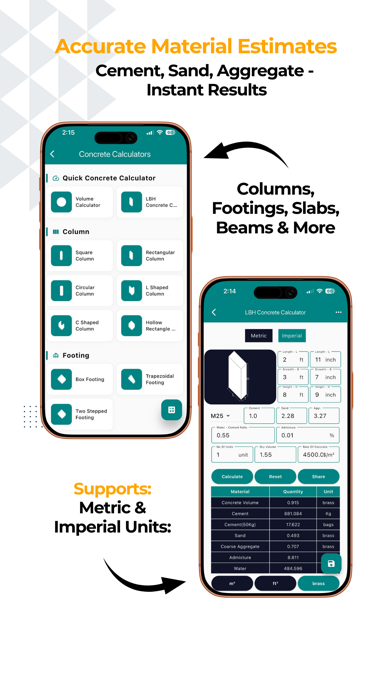
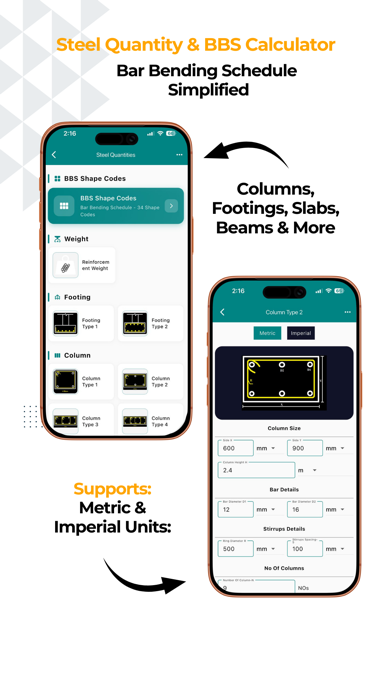
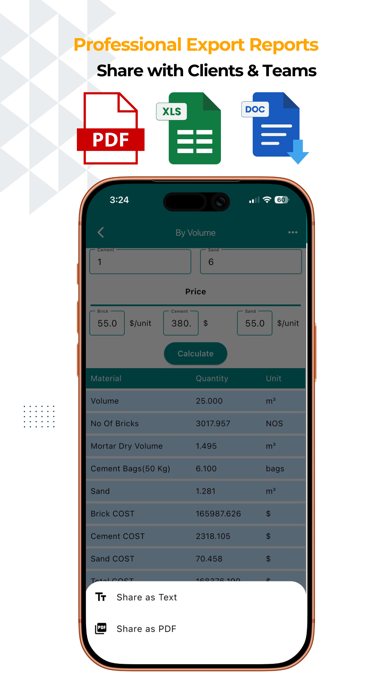
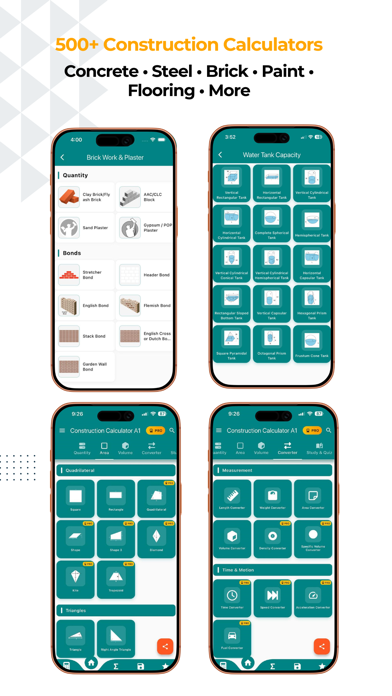
The #1 construction calculator trusted by 1M+ contractors, builders, and engineers worldwide. Construction Calculator A1 — the complete civil engineering toolkit for contractors, builders and engineers. 500+ calculators, from a single slab to a client-ready Bill of Quantities. CONCRETE CALCULATOR • Slabs, footings, columns, beams, stairs, walls & culverts • Instant material quantities: cement bags, sand, aggregate • Mix ratios and grade selection for any specification REBAR & STEEL CALCULATOR • Bar Bending Schedule (BBS) with shape codes and cutting lengths • Weight calculator for metric and US bar sizes (#3–#11) • Lap length, cover & spacing calculations • Steel tonnage for structural estimates FEET-INCHES CALCULATOR • Add, subtract, multiply, divide in feet-inches-fractions • No decimal conversion needed • Running tape you can review and reuse BILL OF QUANTITIES (BOQ) — NEW • Send any calculation straight to a BOQ • Organise by project, track total value and % priced • Professional report with your company header and signature • Export as PDF or Excel AUTOMATIC DRAWINGS — NEW • Calculators draw a dimensioned sketch of what you entered • Brickwork, steel shapes, concrete sections, excavation, stairs • Drawings and a DIMENSIONS panel included in every PDF MATERIAL PRICE LIBRARY — NEW • Store your own rates in your own currency • Rates auto-fill into cost fields across the app • Six regional presets with local materials and units APPLE WATCH APP — NEW • Converter, material weight, volume, diagonal and rebar on your wrist • Prices synced from iPhone, with full calculation history AREA & VOLUME • 50+ shapes: rectangle, circle, triangle, trapezoid, polygons, prisms, cones, spheres and more • Draw Shape and GPS Area for irregular plots • Room area, paint coverage, flooring and excavation volumes UNIT CONVERTER • Length, area, volume, weight, pressure, power, speed, density and more • Construction-specific units throughout LEARN — NEW • Civil engineering articles, checklists and reference charts • Topic quizzes with instant explanations • Daily streaks, XP and achievement badges PROFESSIONAL FEATURES • Save and organise calculations by project, with notes and photos • Share estimates with clients instantly • Construction cost estimator with breakdown charts and quotations • Company branding on every report • Google Drive and iCloud backup, cloud sync across devices • Metric and Imperial, 16 languages, light and dark themes • Works offline — calculations need no internet SUBSCRIPTION INFORMATION Construction Calculator Pro is available as a monthly or yearly auto-renewing subscription, or as a one-time Lifetime purchase. • Payment is charged to your Apple ID account at confirmation of purchase. • Subscriptions renew automatically unless auto-renew is turned off at least 24 hours before the end of the current period. • Your account is charged for renewal within 24 hours prior to the end of the current period, at the rate of your selected plan. • Manage or cancel your subscription in your App Store account settings after purchase. Privacy Policy: https://www.binaryandbricks.com/app/privacypolicy.html Terms of Use: https://www.apple.com/legal/internet-services/itunes/dev/stdeula/ Built for real job sites. Download now and estimate like a pro.
Latest release
What’s New
NEW — Formwork Sheet (Pro) Plan a whole project's shuttering in one place. Build an element schedule and the app derives your ply sheets, battens, walers, ties, props, back-props and a complete scaffold list from it — then tells you the PEAK quantity you actually need to buy, not the cumulative area you bill. Includes cycle planning, de-shuttering sets and eight validation checks that flag a take-off before you issue it. Export a branded PDF, push quantities to a BOQ, or send a row straight in from any shuttering calculator. NEW — Brick Size Library Your own brick and block sizes, saved once and used everywhere. Region-aware seed catalogue, a default per brick/block type, and auto-fill across all 24 brickwork calculators. Backed up and synced with the rest of your data. Open it from Settings or the Brick Work page. NEW — False ceiling calculators Gypsum Ceiling, POP Ceiling and Grid Ceiling, with section and plan drawings, regional advisories, and material rates stocked for all six regions. IMPROVED — Shuttering, redrawn 17 element calculators, each with a new two-view drawing that shows WHICH FACES GET FORMWORK - a footing is sides only, a beam is soffit plus two sides. Tap any field and its dimension lights up on the drawing. IMPROVED — Quantity tab Calculators are now ordered by how relevant they are to your role and region. Nothing is hidden; your favourites still come first.
Audience growth
Ratings growth
Baseline captured. Growth appears after the crawler observes a changed rating count.
Momentum comes from crawler snapshots for the tracked storefront. “Viral growth signal” means unusually fast recent rating gains; it is an indicator, not download data.
Price tracking
Price intelligence
- First observed Aug 19, 2026 · 1:07 AM Free
Screenshots