About this app
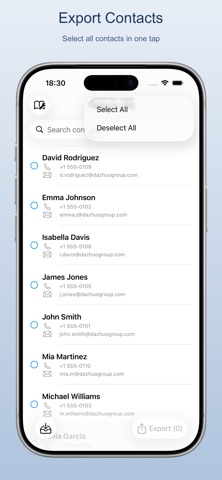
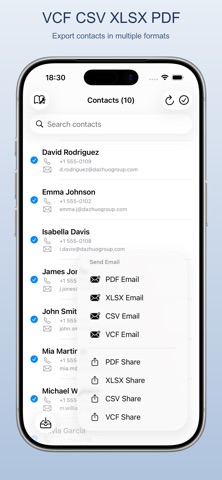
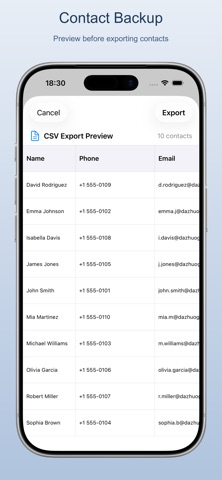
Contacts Export is a lightweight and efficient iPhone contact manager supporting multiple export and import formats. Safe & Secure: Fully offline, no internet required. Your data never leaves your device. (Only needs internet connection for App Store purchases.) Features: - Export as VCF, CSV, XLSX, or PDF - Import contacts from VCF and CSV files - Upload via WiFi from your computer browser - Preview before exporting or importing - Share or print via the system menu - Send directly via email - Select specific contacts to process Supported Formats: - VCF (vCard) standard contact format, compatible with all phones - CSV spreadsheet format, editable with Excel and more - XLSX native Excel format with full styling - PDF portable document format, ideal for printing and archiving
Latest release
What’s New
- Optimized stability and fixed minor issues
Audience growth
Ratings growth
Baseline captured. Growth appears after the crawler observes a changed rating count.
Momentum comes from crawler snapshots for the tracked storefront. “Viral growth signal” means unusually fast recent rating gains; it is an indicator, not download data.
Price tracking
Price intelligence
First snapshot captured. The trend line starts after the next crawler price observation.
- First observed Aug 11, 2026 · 9:07 AM Free
Screenshots