About this app
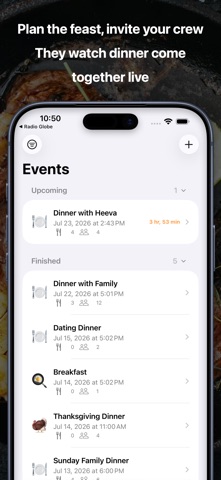
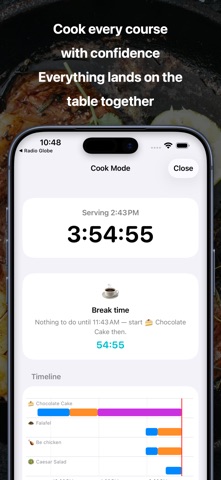
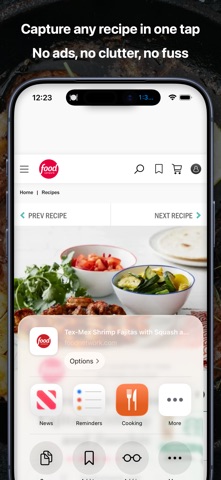
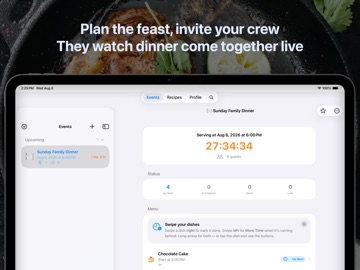
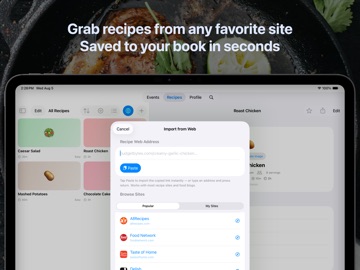
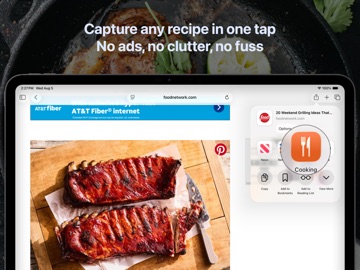
Cooking solves a very specific panic: eight guests at 6pm, and the turkey, potatoes, and cake all need to be ready at the same moment. Tell Cooking when dinner is served and it schedules every dish backwards — prep, cook, rest — so everything lands on the table together. Roast needs 20 more minutes? One tap reshuffles the whole evening and suggests a new serving time. Finish early, and the app tells you to take a break. THE SCHEDULE THAT COOKS BACKWARDS Add dishes with prep, cook, and rest times. Cooking builds the timeline for you: when to start each dish, what to do right now, what's next. Running late? Add minutes to one dish and the whole plan adjusts instantly. A DINNER TRACKER FOR YOUR GUESTS Share one link. Guests see the menu, live cooking progress, and the real dinner ETA — no app, no account needed. On iPhone the tracker opens instantly as an App Clip; everyone else gets the web view. Add your address and a note ("bring wine!"), and when the last dish is checked off, everyone sees it: dinner is served. CAPTURE RECIPES FROM ANYWHERE Save recipes straight from the web — the Safari extension captures ingredients, steps, and timings from any recipe page. Or point your camera at the ingredients on your counter and on-device intelligence names them for you. COOK MODE, ON YOUR WRIST TOO A live serving countdown, step checklists, per-phase timers — and honest break time when you're ahead. The Apple Watch app, widgets, and a Live Activity keep the kitchen on your lock screen. YOUR LIBRARY, EVERYWHERE Your recipe library syncs privately through iCloud across your devices. On Apple Intelligence devices, every recipe gets its own illustration — generated entirely on your device. Pro (one-time purchase) unlocks the guest tracker, saved web recipes, and every future Pro feature. Thanks to the best amateur chef, Heeva Parsi
Latest release
What’s New
Recipe illustrations, rebuilt: tap Generate Image and get an instant on-device illustration — use it as is, try another, or fine-tune it in Image Playground. Also fixes image generation on iOS 27.
Audience growth
Ratings growth
Baseline captured. Growth appears after the crawler observes a changed rating count.
Momentum comes from crawler snapshots for the tracked storefront. “Viral growth signal” means unusually fast recent rating gains; it is an indicator, not download data.
Price tracking
Price intelligence
- First observed Aug 15, 2026 · 2:21 PM Free
Screenshots