About this app
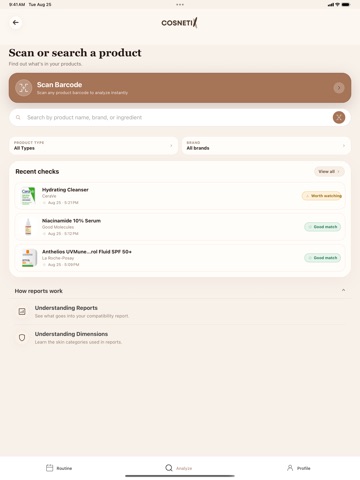
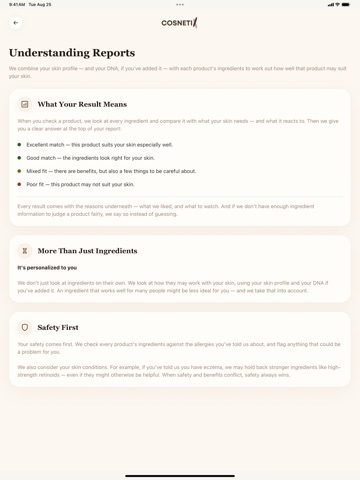
Know what's in your skincare — and whether it suits you. Cosnetix reads every ingredient in a product and compares it against your skin profile, so you get a clear answer before you buy or apply: Excellent match, Good match, Mixed fit, or Poor fit — with the reasons underneath. Scan or search any product Scan a barcode or search by name, brand, or ingredient. Your report shows which ingredients help your skin, which ones to watch, and why — in plain language, with sources. Built around your skin, not averages A short skin quiz builds your profile: skin type, sensitivity, concerns, and the ingredients you'd rather avoid. Every report is personal to it. Add your DNA results for optional genetic insights. Your routine, checked Build your morning and evening routines from your shelf. The routine check tells you what's missing, flags products that may not fit your skin, and gives you a next step — one product at a time, never a rebuild. Understand the "why" See which skin dimensions a product supports — barrier, sensitivity, pigmentation, aging, oil control. Tap any ingredient for what it does and where the evidence comes from. Track how your skin feels A daily check-in keeps a simple record of how your skin is doing, so you can see what's working. Cosnetix gives ingredient-based guidance to help you choose products. It doesn't diagnose or treat skin conditions — for persistent or painful skin problems, a dermatologist is the right next step.
Latest release
What’s New
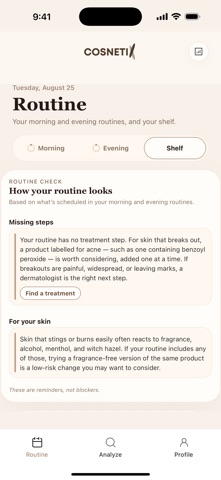
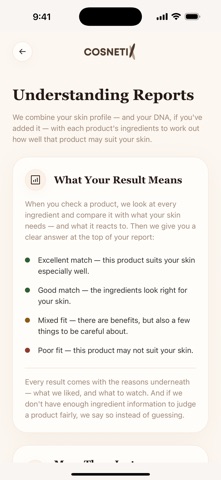
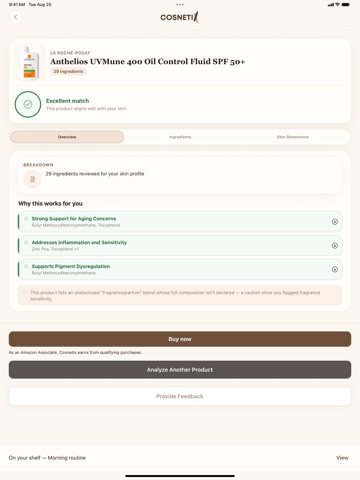
Redesigned Routine tab. Your morning and evening routines and your shelf now live in one place, with a routine check that spots missing steps and gives you personalized notes for your skin. Add to your routine in one tap — straight from any product report. Clearer reports. A cleaner layout, a skin-dimensions chart for every product, and new "Understanding Reports" guides that explain how it all works. Better search. Fewer duplicates and near-identical listings, so the product you want is easier to find. Buy where you already shop — a Buy now button on product reports. Fixes and polish: the skin quiz now catches contradictory answers, profile details display correctly, truncated product names are readable, and dozens of smaller improvements.
Audience growth
Ratings growth
Baseline captured. Growth appears after the crawler observes a changed rating count.
Momentum comes from crawler snapshots for the tracked storefront. “Viral growth signal” means unusually fast recent rating gains; it is an indicator, not download data.
Price tracking
Price intelligence
First snapshot captured. The trend line starts after the next crawler price observation.
- First observed Sep 10, 2026 · 9:52 PM Free
Screenshots