About this app
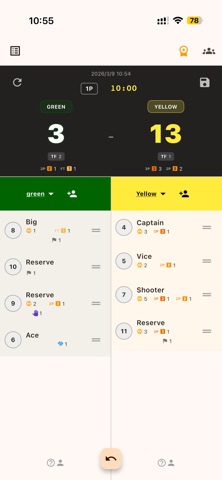
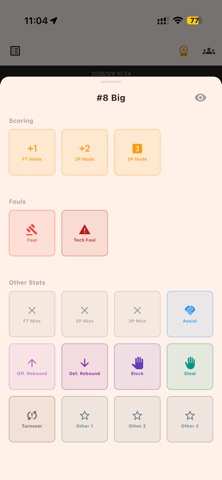
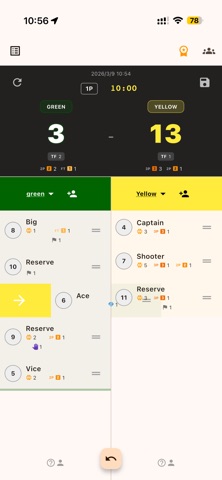
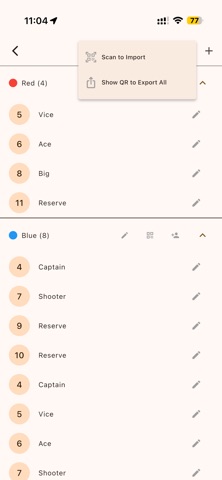
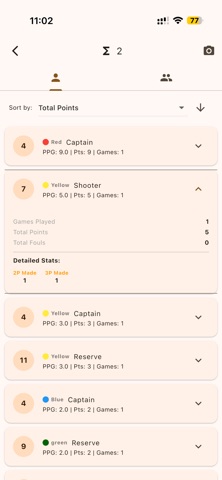
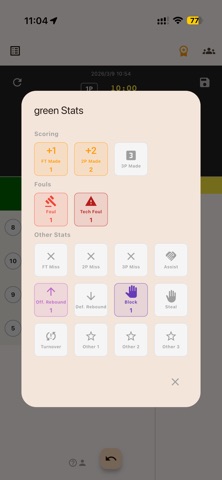
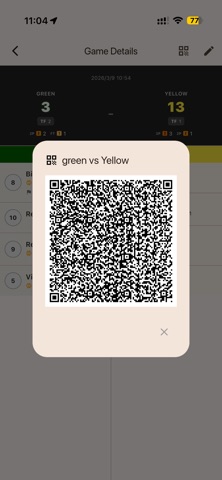
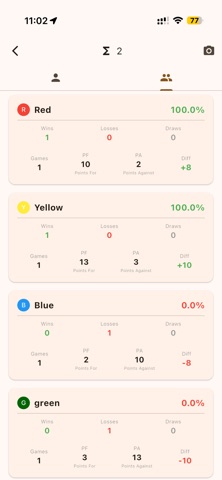
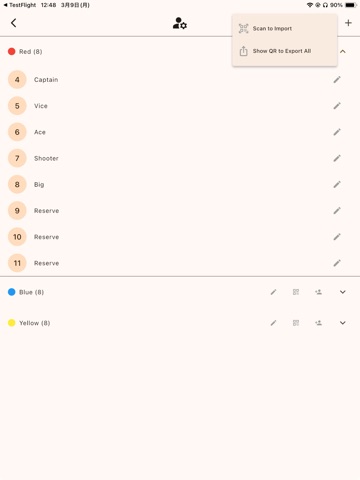
Elevate Your Manager Skills Instantly! Count Basketball puts pro-level tracking right in your hands. Track points, fouls, and assists effortlessly, and support your team like never before. 【Try all features free for 1 month!】 KEY FEATURES - Flexible Player Management Perfect for practice games! Move players freely between teams with a simple drag-and-drop. Easily handle roster changes during scrimmages or intra-squad games. - Easy Counting for Everyone Just tap to count Points (1pt, 2pt, 3pt), Fouls, and Assists. No experience needed—anyone can master it from day one. - Smart Stats Merging You decide which games to combine. Select specific matches from multiple days or courts to create custom reports. Whether it's a single tournament or a month of practice, you're in control. - Instant Sharing Capture and share game results or aggregated stats as images instantly. Post to group chats or social media with one tap to keep everyone updated. - Share Across Any Device (QR) Score games on different devices and merge them instantly with a simple QR code scan. Teamwork makes the dream work. - Total Stats at a Glance Automatically calculate total scores and individual stats. "Who scored the most this tournament?" You'll have the answer ready in seconds. - Offline Ready Works anywhere, anytime, even without internet. HOW TO USE 1. Create Teams: Set up your team and opponents. 2. Sync Devices: Share team settings via QR code to multiple devices. 3. Score & Manage: Record points intuitively. Move players across teams freely for practice sessions. 4. Select & Merge: Choose specific games to merge via QR code scanning. 5. Analyze & Share: View aggregated stats and share results instantly as images. ! Customizable Period Labels ! You can now freely edit the period label by tapping the Quarter/Period display on the scoreboard. In addition to shortcuts like "1Q" and "2Q", you can type "OT" or any custom text to match your game format. ! Game Grouping ! You can now select multiple games (quarters) in the history screen and group them together. This is perfect for organizing "First Half" / "Second Half" records or consolidating a full game's data. 1. Tap the checklist icon in the top right of the History screen to enter "Selection Mode". 2. Select two or more games (or quarters) you want to merge. 3. Tap the "GROUP" icon in the top right corner. 4. They will be combined into a single folder displaying the total score. Simple, smart, and powerful. Upgrade your team support today! Free trial: every feature is free for 30 days after you install the app. To keep using them after that, an auto-renewing monthly or yearly subscription is required. Terms of Use (EULA): https://www.apple.com/legal/internet-services/itunes/dev/stdeula/
Latest release
What’s New
You can now view your previously saved game records for free, even after a subscription ends. Plus stability improvements and internal enhancements.
Audience growth
Ratings growth
Baseline captured. Growth appears after the crawler observes a changed rating count.
Momentum comes from crawler snapshots for the tracked storefront. “Viral growth signal” means unusually fast recent rating gains; it is an indicator, not download data.
Price tracking
Price intelligence
First snapshot captured. The trend line starts after the next crawler price observation.
- First observed Aug 31, 2026 · 9:00 AM Free
Screenshots