About this app
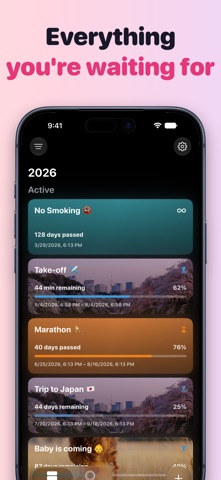
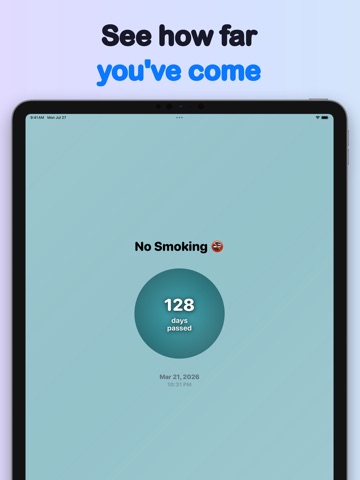
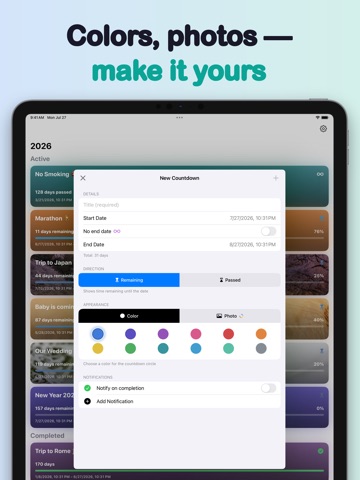
TimeFeel makes time visible. Track what matters — upcoming trips, personal goals, milestones, streaks — and see exactly where you stand at a glance. Countdown & Count-up Create a countdown for any event. Counting down to your vacation? Counting up from the day you quit smoking? Both modes are supported. Switch between "time remaining" and "time elapsed" to see time the way you want. Open-ended timers No end date needed. Track how long something has been going — a habit, a journey, a chapter of your life — without setting a finish line. Beautiful radial chart Each timer shows a circular progress ring that updates automatically, minute by minute. See how much of a period has passed — or remains — at a single glance. Percentage display Choose to show how much time has passed or how much is left. Two modes, your preference. Custom colors & photos Pick from a range of accent colors for each timer's background. With Premium, use your own photo — it becomes a soft, blurred full-screen backdrop. Smart notifications Get notified when an event is complete, at a specific number of days remaining, or when a percentage milestone is reached. Notifications are tied to each individual timer. Widgets on every screen Home Screen widgets in two sizes, plus Lock Screen widgets — a ring, or a line right under the clock. Your countdown is there before you unlock. Apple Watch The full app on your wrist, plus complications for your watch face — your next countdown sits right on the dial. Live Activities When a countdown enters its last stretch, it appears on the Lock Screen and in the Dynamic Island — photo and all — and keeps ticking there until it's done. Find any timer Search by name, filter, and group your timers by year or month. iCloud sync All your timers sync automatically across your iPhone, iPad, and Apple Watch via iCloud. Premium Unlock photo backgrounds, unlimited timers, and advanced notifications with a one-time Lifetime purchase.
Latest release
What’s New
• Performance improvements across the app • Bug fixes and stability improvements
Audience growth
Ratings growth
Baseline captured. Growth appears after the crawler observes a changed rating count.
Momentum comes from crawler snapshots for the tracked storefront. “Viral growth signal” means unusually fast recent rating gains; it is an indicator, not download data.
Price tracking
Price intelligence
First snapshot captured. The trend line starts after the next crawler price observation.
- First observed Aug 26, 2026 · 8:27 AM Free
Screenshots