About this app
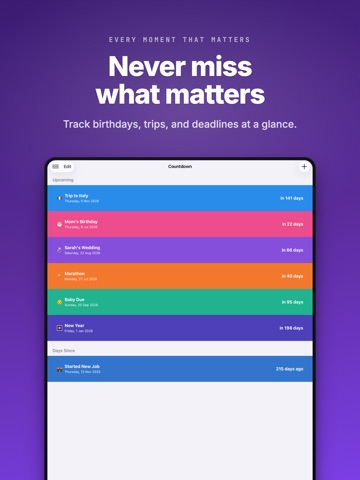
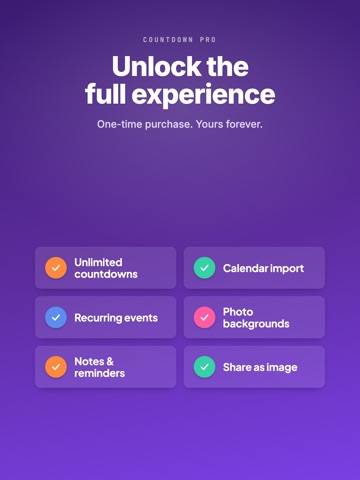
Countdown Events Calendar is the beautiful way to count down to every moment that matters — birthdays, holidays, trips, weddings, exams, and deadlines. Create stunning countdowns in seconds and watch the days melt away. NEW IN THIS VERSION • Import from Calendar — turn your Apple Calendar events into countdowns with a single tap. • Repeating countdowns — birthdays and anniversaries roll over automatically and never go negative. • Share as image — export a gorgeous countdown card to Messages, Instagram, and more. KEY FEATURES • Beautiful full-screen countdowns with your own photos, colors, and emoji • Home Screen and Lock Screen widgets for an instant glance • iCloud sync keeps every countdown up to date across all your devices • Smart notifications and custom reminders — 1 week, 1 day, or 15 minutes before • Seven display formats: years, months, weeks, days, hours, minutes, and seconds • Add notes to capture the details and memories behind each event • Built-in date & time calculator to find the gap between two dates or add and subtract durations • Reorder and organize your countdowns exactly how you like COUNTDOWN PRO Unlock the full experience with a single one-time purchase — yours forever: • Unlimited countdowns • Import from Calendar • Repeating countdowns • Photo backgrounds • Notes for every event • Shareable countdown cards • All Home Screen and Lock Screen widgets Don't let life's important moments pass you by. Download Countdown Events Calendar today and start celebrating every milestone in style.Terms of Service: https://www.apple.com/legal/internet-services/itunes/dev/stdeula/ Privacy Policy: https://site.innovaapps.ai/policies Terms of Service: https://www.apple.com/legal/internet-services/itunes/dev/stdeula/
Latest release
What’s New
What's new in 4.0.3: • A clearer Countdown Pro screen with simple monthly and lifetime pricing. • Purchase and restore messages now appear in your language. • Bug fixes and performance improvements.
Audience growth
Ratings growth
Momentum comes from crawler snapshots for the tracked storefront. “Viral growth signal” means unusually fast recent rating gains; it is an indicator, not download data.
Price tracking
Price intelligence
- First observed Aug 14, 2026 · 11:14 PM Free
Screenshots