About this app
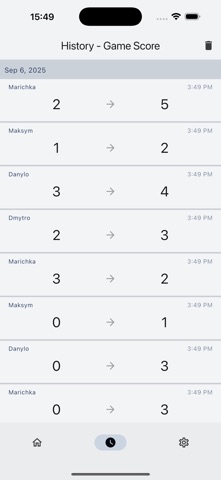
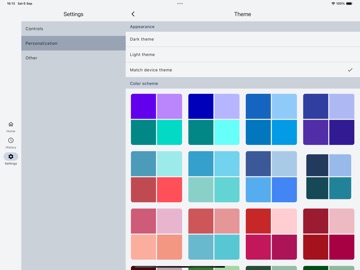
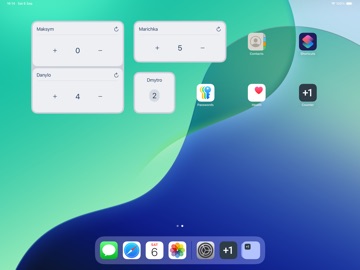
All changes are saved automatically, so you can review your history at any time. Personalize the app by choosing themes and button styles. You can also adjust each counter’s card, changing its size, type, or rearranging the increment/decrement buttons. Organize counters into folders and track your progress with home screen widgets – all free and without ads. Main functions and features: - Create counters with different parameters. Customize their appearance, including size and type. - Organize counters into folders to keep things tidy. - Review your activity in history: a grouped overview for all counters, folder-specific history, or a detailed log for each counter. - Add widgets to the home screen. - Personalize the app with a wide range of free themes. - Use volume buttons in the details screen to quickly increment or decrement counter. - View counters in list or grid format (grid view available on larger screens). Sort counters by name, value, and other parameters. - No ads or paid features. You can support the developer if you wish. And this is just the beginning! We’re always open to your feedback and suggestions to make the app even better.
Latest release
What’s New
Added support for iOS 26 and other minor improvements
Audience growth
Ratings growth
Baseline captured. Growth appears after the crawler observes a changed rating count.
Momentum comes from crawler snapshots for the tracked storefront. “Viral growth signal” means unusually fast recent rating gains; it is an indicator, not download data.
Price tracking
Price intelligence
First snapshot captured. The trend line starts after the next crawler price observation.
- First observed Aug 19, 2026 · 6:30 AM Free
Screenshots